Adding New Users
To add new users:
- Go to the Admin tab and click New User, as shown in the following image.
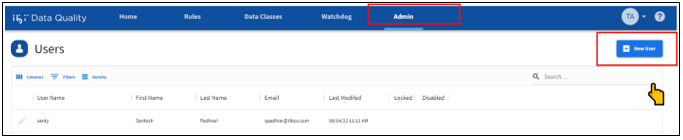
The New User dialog opens, as shown in the following image.
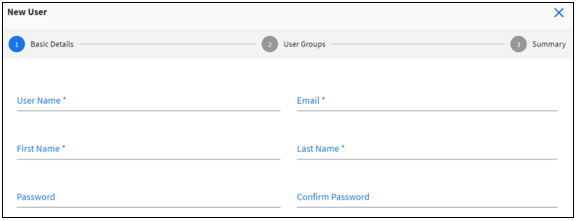
- Enter the following information about the new user account:
- Unique username for the account.
- Email address of the user.
- First Name and Last Name of the user.
- Default password for the account.
The password must meet the following requirements:
- Must be minimum 8 characters and maximum 20 characters long.
- Must contain one uppercase letter.
- Must contain one lowercase letter.
- Must contain one numeric character.
- Must contain one special character.
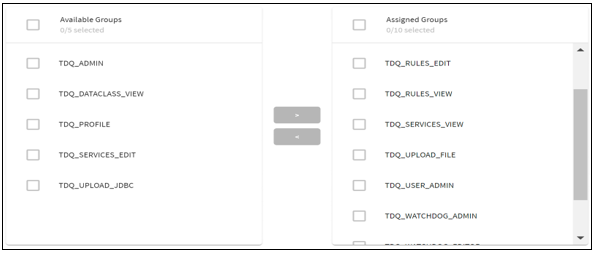
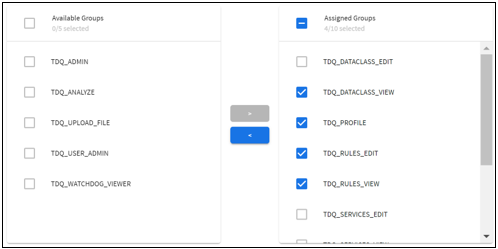
- Assign one or more groups for the user account. The available groups are listed in the following table:
Group
Privilege
TDQ_ADMIN
Super admin, has access to every ibi Data Quality feature.
TDQ_USER_ADMIN
Can access the Admin tab to manage user accounts.
TDQ_DATACLASS_EDIT
Can access the Data Classes tab and can add definitions for new data classes.
Can add/edit data classes through the Valet API.
TDQ_DATACLASS_VIEW
Can access the Data Classes tab, but cannot add new data classes.
Can read available data classes through the Valet API.
TDQ_SERVICES_EDIT
Can register new services through the Valet API.
TDQ_SERVICES_VIEW
Can read list of registered services through the Valet API.
TDQ_RULES_EDIT
Can access the Rules tab and can add new rules.
Can add/edit data rules through the Valet API.
TDQ_RULES_VIEW
Can access the Rules tab, but cannot add new rules.
Can read available rules through the Valet API.
TDQ_UPLOAD_FILE
Can access the Home tab, Explore New Data, and only upload data through File Upload.
Can upload data files through the Valet API.
TDQ_UPLOAD_JDBC
Can access the Home tab, Explore New Data, and only upload data from JDBC data source.
Can upload data from JDBC data sources through the Valet API.
TDQ_PROFILE
Can run the Add profile job to generate data profiles.
Can execute data profile job through the Valet API.
TDQ_ANALYZE
Can run the Add rules and run analysis job to generate data quality reports.
Can execute rules-based DQ analysis through the Valet API.
TDQ_WATCHDOG_EDIT
Can access the Watchdog tab and manage reports, dashboard, alerts, and notifications on the Watchdog App.
TDQ_WATCHDOG_VIEW
Can access the Watchdog tab and view available dashboards.
For example: