
Importing Sample Project
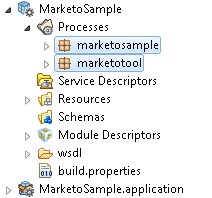
Only one sample project is packaged with the plug-in. Before running the project, you need to import the project to TIBCO Business Studio.
Procedure
- Navigate to the TIBCO_HOME\bw\palettes\marketo\6.0\samples\GeneralSample directory and unzip the MarketoSample.zip file to the directory.
- Start TIBCO Business Studio.
- Click .
- In the Import dialog, expand the General folder and select Existing Studio Projects into Workspace. Click Next.
- Click Browse next to the Select root directory field to locate the samples. Click Finish.
Copyright © Cloud Software Group, Inc. All Rights Reserved.