Copyright © Cloud Software Group, Inc. All Rights Reserved


Chapter 4 Creating and Deploying Applications : Reverting to a Previously Deployed Application

Reverting to a Previously Deployed Application
When you revert an application, you select a different version of the currently deployed application to deploy. When you deploy, service instances and process engines are stopped, updated, and restarted. Any component that is removed from a machine as a result of the revert operation is undeployed from that machine.
To revert to a previously deployed application, perform the following procedure:
1.
Click Application Management.
2.
Click ApplicationName > Configuration, where ApplicationName is the application created when you loaded the archive. See Creating an Application.
3.
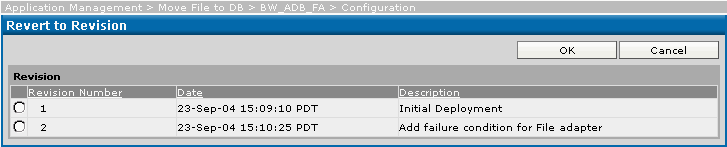
The deployed revisions and the time at which each was deployed display.
4.
5.
Click OK.
The application is now shown as ready to deploy in the Configuration Builder.
6.
Click Deploy.

Copyright © Cloud Software Group, Inc. All Rights Reserved