Copyright © Cloud Software Group, Inc. All Rights Reserved


Chapter 4 Creating and Deploying Applications : Upgrading an Application

Upgrading an Application
If you have installed a new version of TIBCO software on a machine that is part of your administration domain, and the software is used in one or multiple applications, you can use the Upgrade feature to enable the applications to use the upgraded software.
The Upgrade feature remaps properties in the property files of the process engines to use the new software targets. The upgrade operation is not reversible. That is, you cannot revert to using the previous software version after upgrading.
You must redeploy your applications after upgrading.
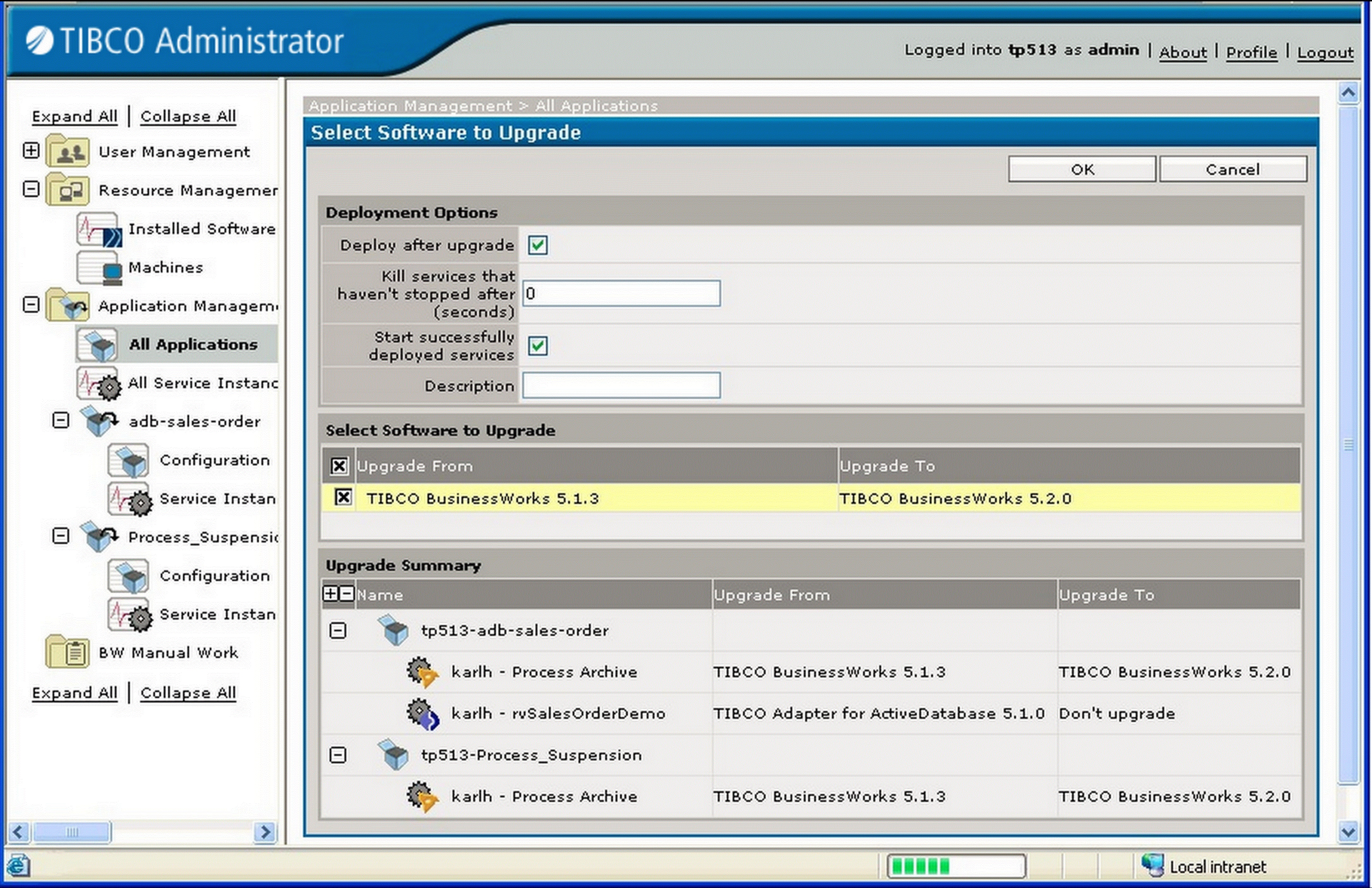
The next diagram shows the dialog that displays when upgrading software.
To upgrade an application, perform the following procedure:
1.
Click Application Management.
2.
Click ApplicationName > Configuration, where ApplicationName is the application you wish to upgrade
3.
4.
Select Deploy after upgrade to redeploy your application as part of the upgrade. You can redeploy later, if necessary.
5.
6.
7.
8.
 

Copyright © Cloud Software Group, Inc. All Rights Reserved