Copyright © Cloud Software Group, Inc. All Rights Reserved


Chapter 5 Setting Deployment Options : Enabling a Process or Service to Run on Other Machines

Enabling a Process or Service to Run on Other Machines
You can assign a process to run on any machine that is part of your administration domain. See the TIBCO Runtime Agent Domain Utility User’s Guide for information about adding a machine to a domain.
A service can be enabled or disabled. Only enabled services are deployed. When you disable a service, it is no longer deployed the next time you deploy the application, while all other services in the application are deployed as before. This can be useful, for example when you wish to deploy an application that includes a service for which you don't have the required software.
Only machines that have the software required by the process or service are visible when selecting the machine.
To enable a process to run on other machines, perform the following procedure:
1.
In TIBCO Administrator, click Application Management.
2.
3.
4.
5.
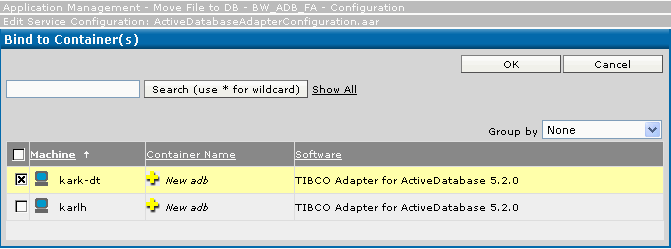
In the Target Machines pane, click Add to Additional Machines to add a selected process or service to another machine.
6.
7.
Click Save.
See Also
See Edit Service Configuration Dialog for more information.
See Configuring Fault Tolerant Process Engines.
 

Copyright © Cloud Software Group, Inc. All Rights Reserved