Copyright © Cloud Software Group, Inc. All Rights Reserved


Chapter 5 Setting Deployment Options : Adding an Event to a Service

Adding an Event to a Service
You can define an event type to respond to a service instance failure, or to be triggered when a match occurs for some condition that is reported in the service instance log file.
1.
In TIBCO Administrator, click Application Management.
2.
3.
In the Configuration Builder pane, click a service or process name. A service is named with a .arr suffix. A process is named with a .par suffix.
4.
Click the Monitoring tab.
5.
Click Add in the Events panel.
6.
a.
b.
7.
8.
Click Save.
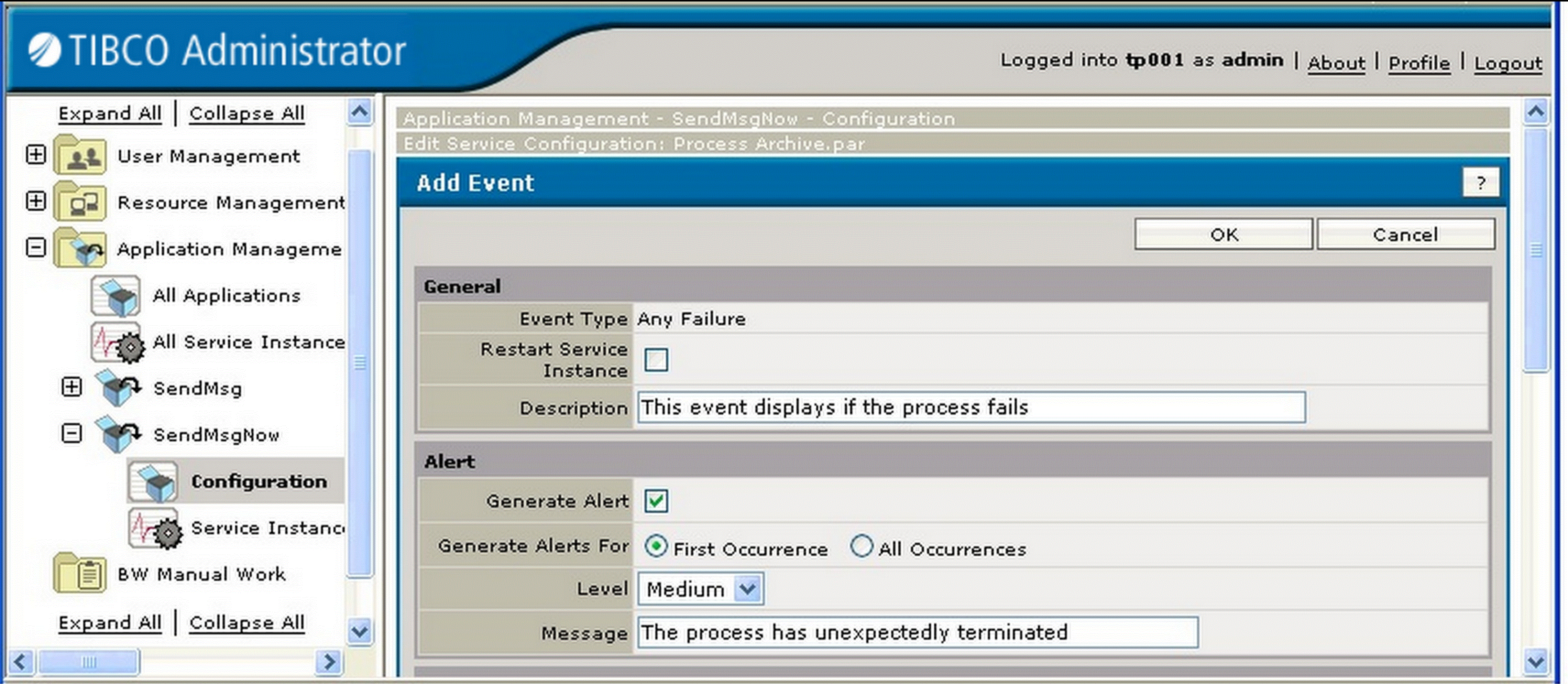
For example, the next diagram shows the Add Event panel for a process archive.
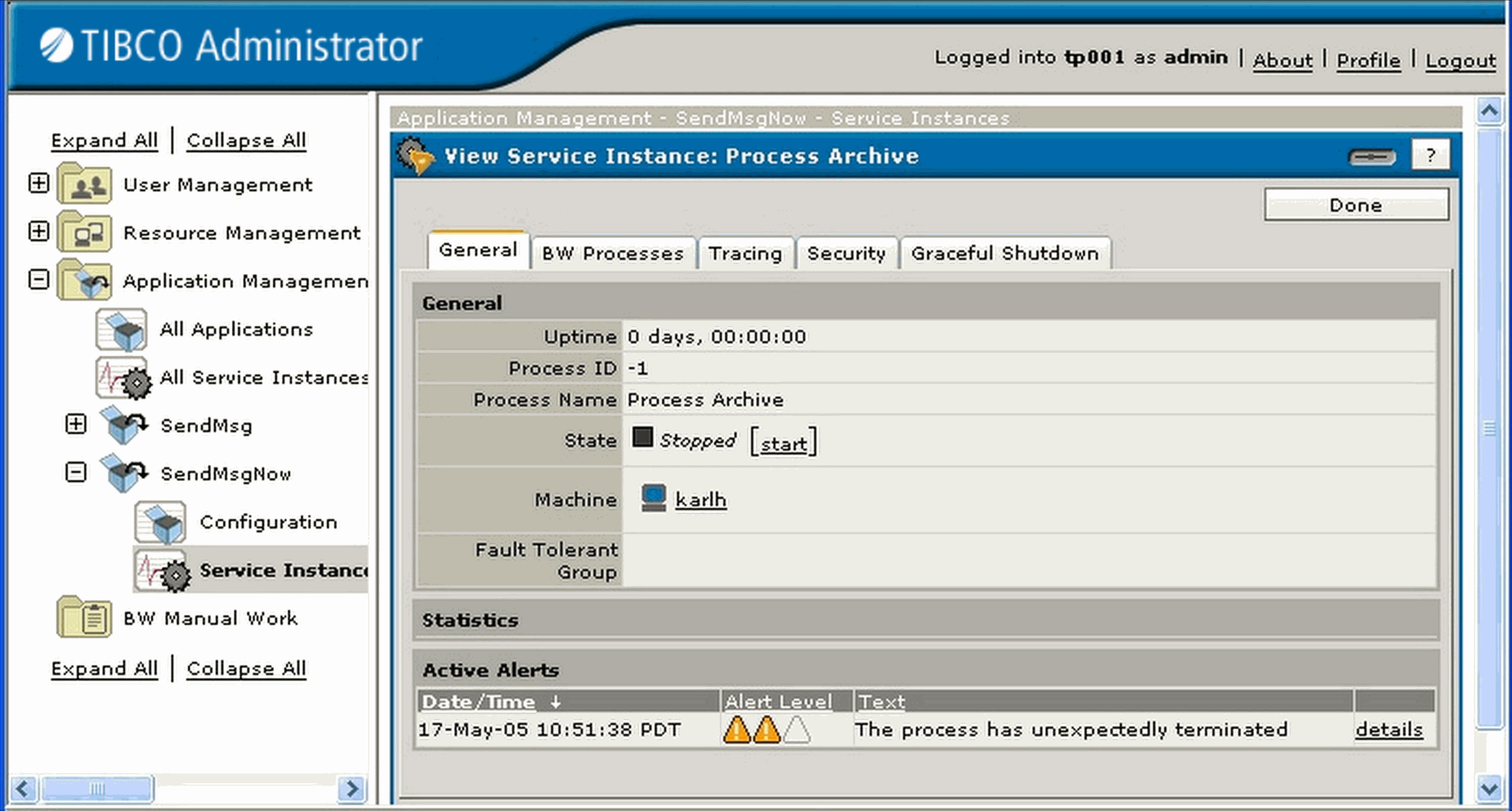
The event can be sent as an alert, by email or can trigger an operating system command. If the event is sent as an alert, it appears in the View Service Instance dialog under the Active Alerts pane. For example:
See Also
See Edit Service Configuration Dialog for more information.
See Specifying a Custom Alert for an example event configuration.

Copyright © Cloud Software Group, Inc. All Rights Reserved