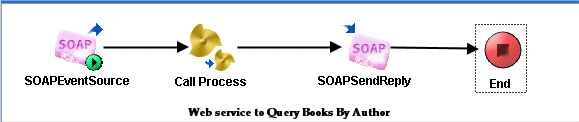
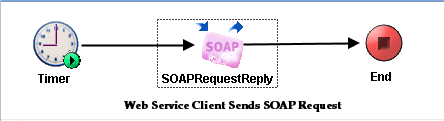
See the example at <TIBCO_HOME>\bw\<version_number>\examples\activities\soap\soap_over_http for more details of the sample scenario.
Setting maxProcessors to 100, ensures that upto 100 requests can be accepted concurrently.
To improve the ability to execute process instances concurrently, more engine threads are required. The number of engine threads to be allocated can be set using the property Engine.ThreadCount. The default value is eight. Theoretically, the value of
Engine.ThreadCount can be increased till maximum CPU utilization is reached. However, an increase in the thread count and hence, an improved concurrency, may not always result in an improved performance. This is because an improved concurrency also implies an increased resource consumption.
Set the property, Engine.StepCount, to specify the maximum number of execution steps for a job, unless in a transaction or when the ActivationLimit is set. The default value is 20. Depending on the nature of the jobs being executed, the value of this property can be increased or decreased. A low value of StepCount results in frequent thread switches. This is an overhead, especially when the number of execution steps for most jobs is high.