Copyright © Cloud Software Group, Inc. All Rights Reserved


Chapter 6 Phase 4: Business Process Design : Step 3: Add a Process Starter

Step 3: Add a Process Starter
A process starter waits for input from an external process and creates a process instance each time the input arrives. For example, the process could be waiting for a document that arrives from an application server using JMS. A process starter could also be polling a directory and start whenever a file is added.
To add a process starter, follow these steps:
1.
2.
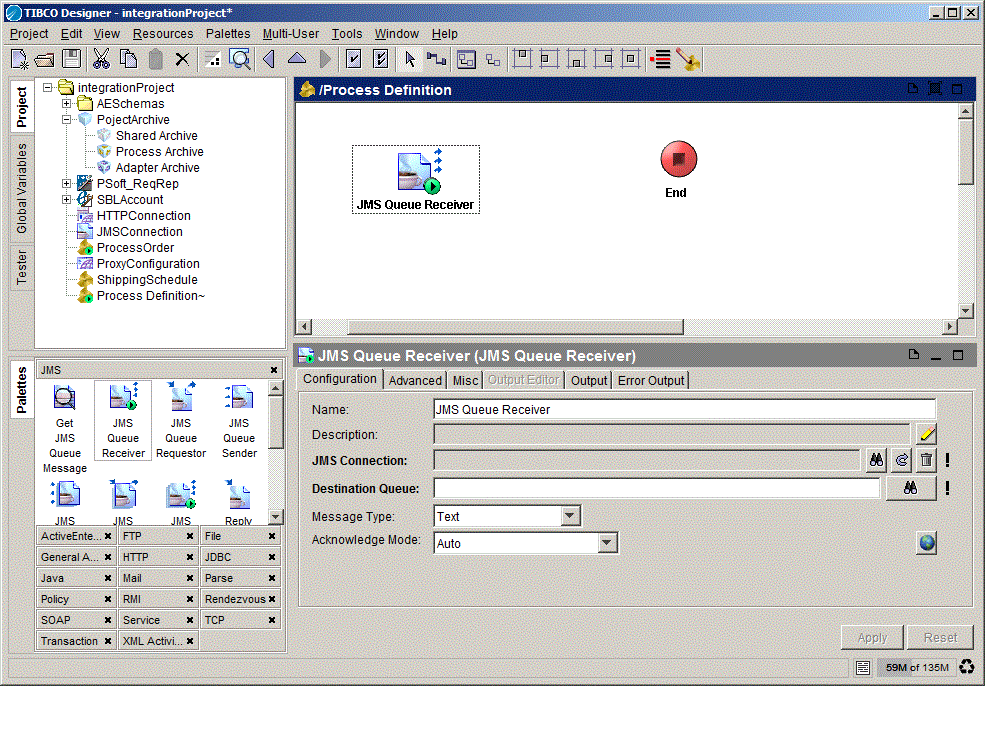
In our example, the JMS Queue Receiver is the process starter.
3.
The process starter activity replaces the default Start activity.
4.
Figure 21 Adding a process starter
Note that the default Start activity that is included with each process you instantiate is not a process starter. A Start activity must be called explicitly from another process.

Copyright © Cloud Software Group, Inc. All Rights Reserved