Copyright © Cloud Software Group, Inc. All Rights Reserved


Chapter 7 Java Palette : Show Class Browser

Show Class Browser
Button
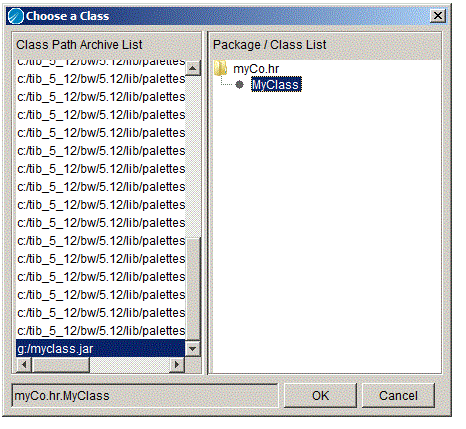
The Choose a Class or Choose a Class and Method dialog appears when you click the Show Class Browser button. This dialog allows you to pick a Java class (and method of that class for the Java Method activity) from a list of archives available in the TIBCO ActiveMatrix BusinessWorks classpath. The Show Class Browser button is used in the following resources:
Figure 11 illustrates selecting a class in the Choose a Class dialog. First you select the archive, then you select the class. Packages that contain classes are displayed as folders and the contained classes are nested below the package folder.
Figure 11 Selecting a class with the Choose a Class dialog
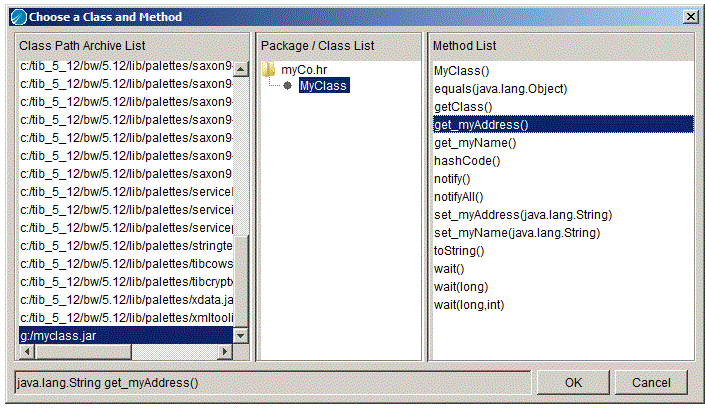
The Java Method and EJB Home activities allow you to select a class and a method in that class to execute. The Show Class Browser button brings up the Choose a Class and Method dialog. Figure 12 illustrates this dialog.
Figure 12 Selecting a method in a class from the Choose a Class and Method dialog
 

Copyright © Cloud Software Group, Inc. All Rights Reserved