Copyright © Cloud Software Group, Inc. All Rights Reserved


Chapter 5 Transitions and Conditions : Conditions

Conditions
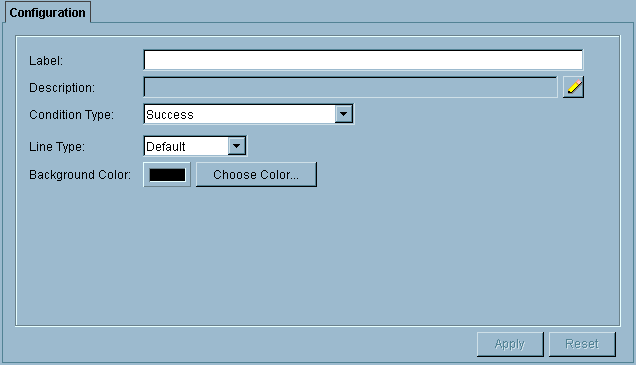
Conditions are specified on transitions to determine whether to take the transition to the next activity or not. When a transition is created, you are presented with the transition dialog. Figure 20 illustrates the transition dialog.
Figure 20 The transition dialog
The transition dialog allows you to specify a label, description, line type, and background color for the transition. You can also specify a condition type for the transition. The following table describes each condition type.
 
See Chapter 10, Error Handling for more information on error handling in process definitions.
When a transition is created, the default condition type is Success. If a condition other than Success is specified, it is displayed on the transition line in the process definition if a label is not specified in the Label field.

Copyright © Cloud Software Group, Inc. All Rights Reserved