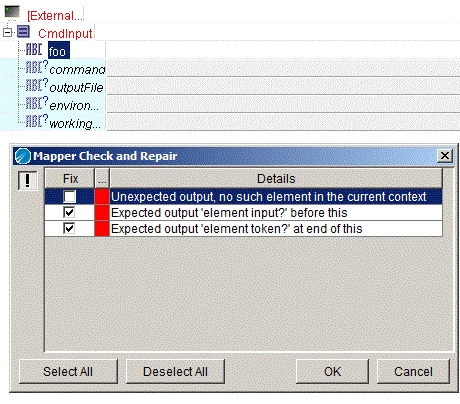
For example, Figure 26 illustrates an activity input schema for the External Command activity. A new element named
foo has been added to the schema and the expected element
token has been removed. The Mapper Check and Repair dialog displays these problems with the Fix checkbox checked. You can select or clear the Fix checkbox for each item, depending upon whether you wish to fix the problem or leave the problem until a later time. When you click OK, any items that are marked for fixing are repaired.