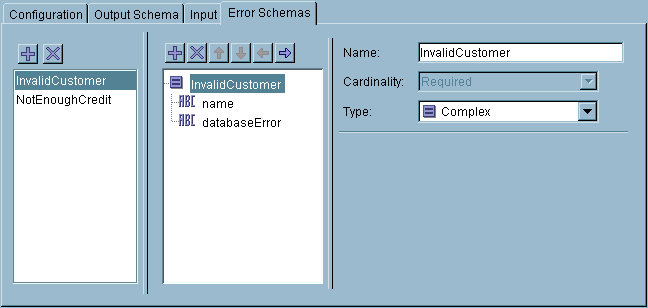
Error schemas are created like any other schema (see Editor). However, the Error Schema tab of the End activity allows you to create more than one error schema.
Figure 34 illustrates the Error Schemas tab with two error schemas. The left panel of the tab allows you to create or delete schemas. The middle portion allows you to modify the selected schema. The right panel of the tab allows you to modify each schema item.
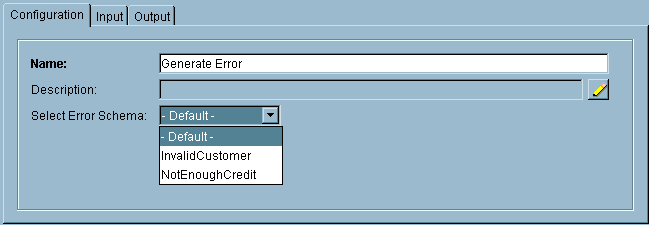
If - Default - is chosen for the error schema, only the
$_error process variable contains the propagated error data.
The process variable is derived from the activity where the Generate Error occurred. If the Generate Error occurs in a called process, the <activity-name> portion of the process variable is the name of the Call Process activity. If the Generate Error occurred in a group, the
<activity-name> portion is the name of the Generate Error activity in the group.
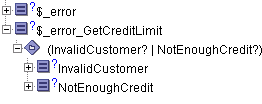
In the example described in Called Process Error Propagation, the SendErrorInOrder activity has access to the error schema supplied by any GenerateError activity in the GetCreditLimitProcess. This process specifies two error schemas, InvalidCustomer and NotEnoughCredit.
Figure 36 illustrates the process data available to the SendErrorInOrder activity.
See TIBCO ActiveMatrix BusinessWorks Palette Reference for more information about the Generate Error activity.