Copyright © Cloud Software Group, Inc. All Rights Reserved


Chapter 14 Invoking and Implementing Web Services : SOAP Undescribed Headers

SOAP Undescribed Headers
TIBCO ActiveMatrix BusinessWorks SOAP header support is added on the Service Resource to handle Undescribed headers. Undescribed headers are SOAP headers that may appear in the SOAP message but are not part of the WSDL binding description. For Inputs, their content has to be mapped into a context object to make it available to the implementing process, as these headers are not a part of the WSDL message. For Output, they have to be mapped to the SOAP message from a context object, as these headers are not part of the WSDL binding.
Undescribed header configuration is available only for SOAP endpoints in the Service resource. This support is not available for SOAP Event Source Activity.
Perform the following general procedure before defining the Undescribed Header:
1.
2.
In the Configuration tab, click EndPoint Bindings and select PortType endpoint.
3.
Click Advanced button. This will open the Advanced SOAP Settings screen.
Figure 58 Advanced SOAP Settings
To define Undescribed Header, perform the following general procedure:
These steps can be followed for Output Context as well. Undescribed headers are available for both Input and Output Context.
1.
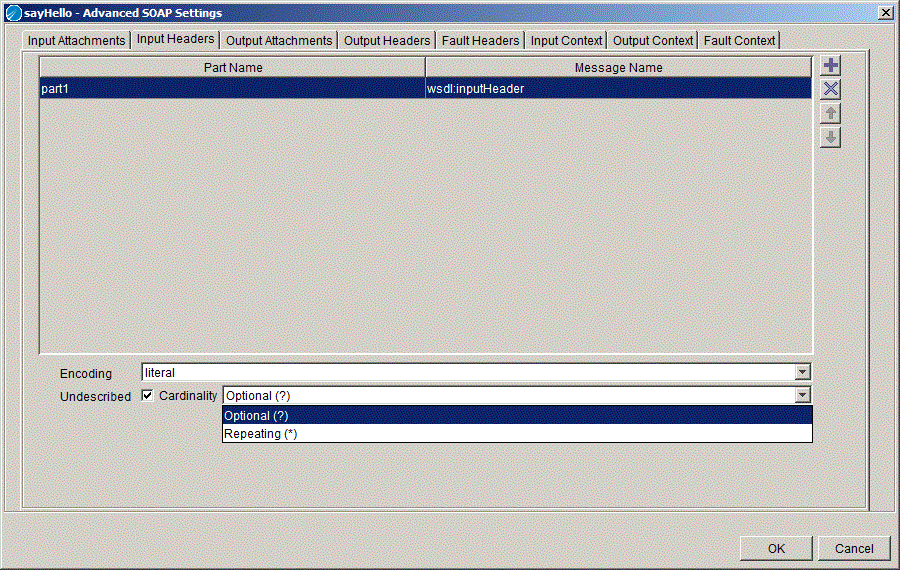
Click Input Headers tab. This will show a table with Message name and Part name. Use the + and X buttons to add or delete message in the table. Move the messages up or down the list using the arrow buttons.
2.
Figure 59 Select a Resource
3.
4.
Select the Cardinality from the drop-down as shown in Figure 60. Click OK.
The cardinality of the header element will depend on the cardinality chosen by the user.
 
 
Figure 60 Select Cardinality
Undescribed headers will be available for context mapping in Input Context and Output Context tab, depending on the configuration.
When an InvokePartner activity in the implementing process is invoking a service referenced by the Partner Link, make sure to use the same Context resource in the 'Service Resource Input Context mapping' and in the 'Partner Link Configuration Output Context mapping'.
A GetContext must be performed before using the InvokePartner activity which overwrites the context resource provided as service input. As a best practice, you should use different Context Resources for different context mappings.
Partner Link Configuration for Undescribed Header Support
Undescribed headers are SOAP headers may appear in the SOAP message but are not part of the WSDL binding description. For Operation Input, as these headers are not part of the binding, they must be mapped to the SOAP message from a context object. For Operation Outputs, as these headers are not part of the WSDL message, their content must be mapped into a context object to make it available to the invoking process.
For a Partner Link Configuration, all defined headers are compulsorily undescribed because the described headers are defined in the concrete WSDL by the Service provider.
Undescribed headers are available for configuration only on SOAP endpoints.
1.
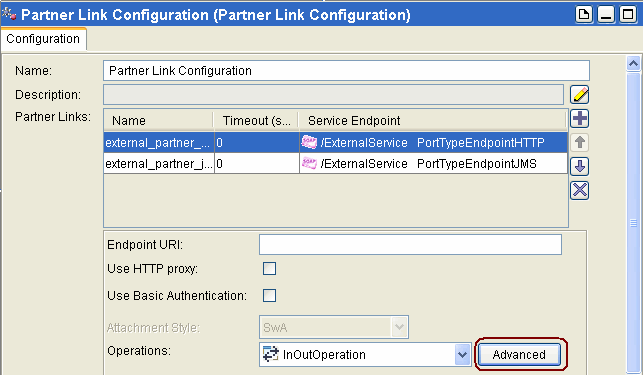
Click Partner Link Configuration and in the Configuration tab click Advanced button.
Figure 61 Partner Link Configuration-Advanced
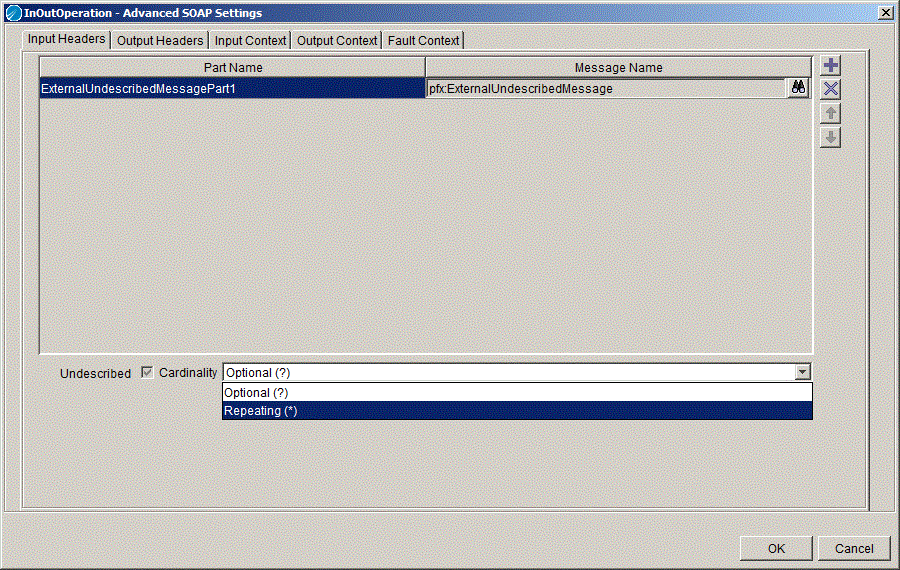
In the selected operations, you can now add the undescribed headers..
2.
Figure 62 InOut Operations- Advanced SOAP Settings
 
This allows the users to specify headers to be set on an Invocation Request and map context information into these headers.
Figure 63 Activity Sequence

Copyright © Cloud Software Group, Inc. All Rights Reserved