|
| Copyright © Cloud Software Group, Inc. All Rights Reserved |
This section explains how to create a LibraryBuilder resource. The next section explains how to include a LibraryBuilder resource as a design-time library and use the resources in the design-time library in a process definition in another project.
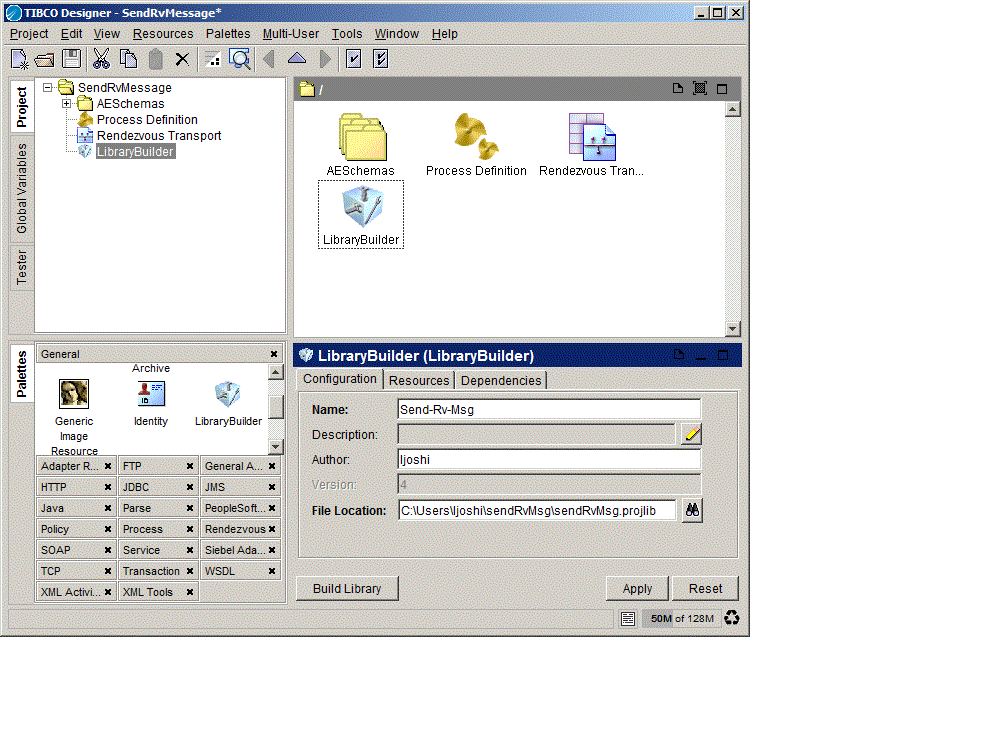
1. Select the top-level folder and locate the LibraryBuilder resource.In palette mode, this resource is in the General palette.
2. Drag the LibraryBuilder resource into the design panel.The LibraryBuilder is displayed in the design panel, and the configuration panel now allows you to supply information about the library.
3.
4. In the File Location field, provide the absolute path and name for the library file. The directory should be accessible to other developers.
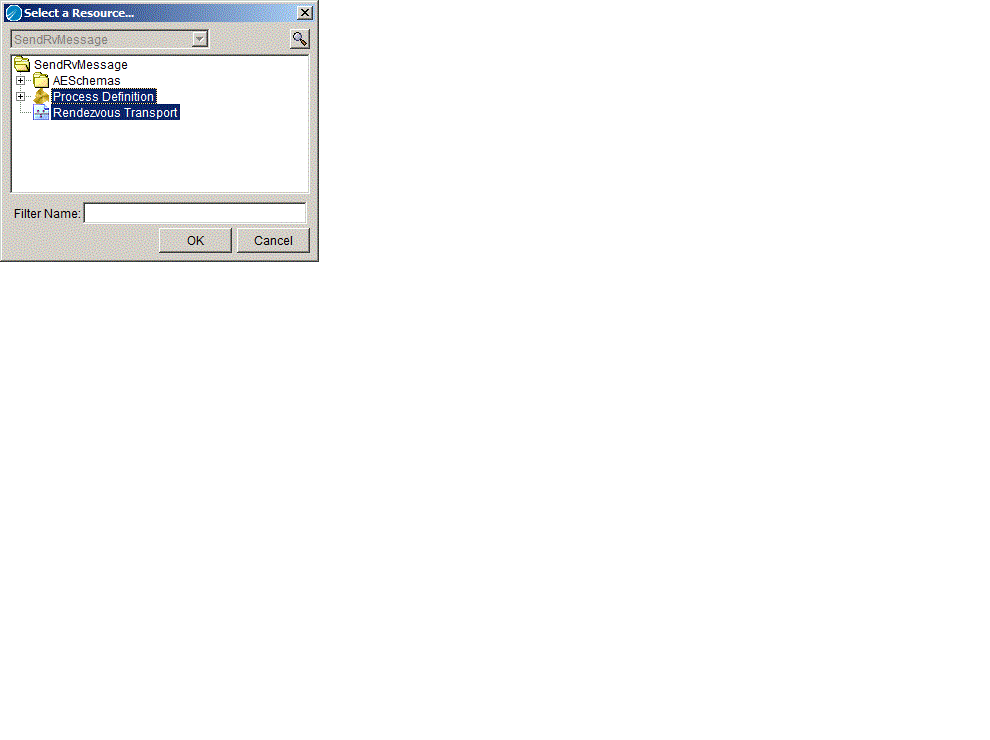
5. Click the Resources tab and click the browse icon to select resources to add to the LibraryBuilder. The list can be limited to resources matching a filter term entered in the Filter Name field.
6. Click Apply. Designer saves the project.
7. Click Build Library.
|
| Copyright © Cloud Software Group, Inc. All Rights Reserved |