OpenTelemetry
OpenTelemetry is an open source, vendor neutral standard for distributed systems that can be used to track the current state of the job. OpenTelemetry is a set of APIs, SDKs, toolings, and integrations designed to create and manage telemetry data such as traces and metrics.
For more information about OpenTelemetry, see the OpenTelemetry documentation.
Enabling or Disabling OpenTelemetry
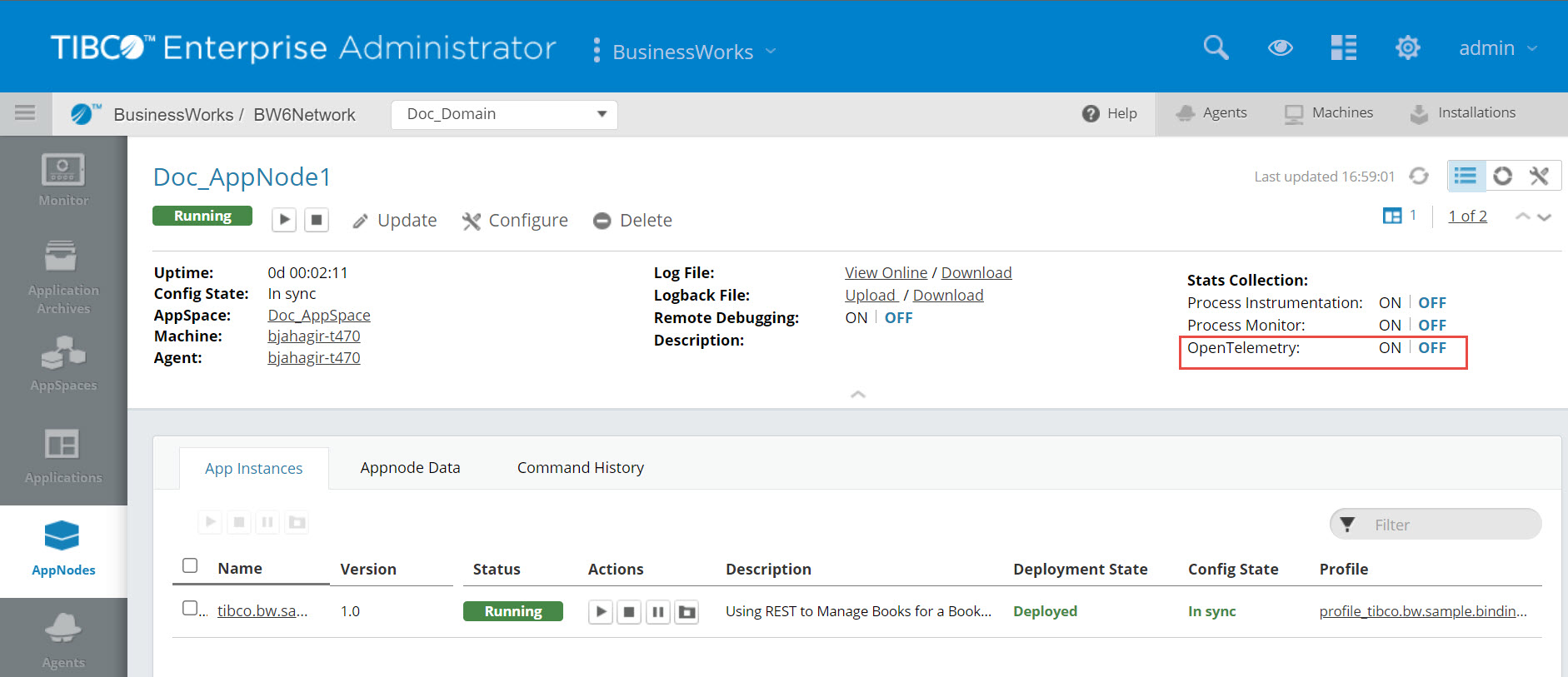
OpenTelemetry can be enabled or disabled through the Admin UI or the BW_JAVA_OPTS environment variable.
You can enable or disable OpenTelemetry at an AppNode Page 2 level.
BW_JAVA_OPTS Environment Variable
When running the application to enable or disable OpenTelemetry at an AppNode level, in the BW_JAVA_OPTS environment variable, configure the following BWEngine property :
bw.engine.opentelemetry.enable=true
Dynamically Enabling and Disabling OpenTelemetry
You can enable and disable OpenTelemetry without restarting an AppNode or an application with the help of the following Admin CLI commands:
| Command | Description |
|---|---|
enableopentelemetry
|
Enable OpenTelemetry for an AppNode. |
disableopentelemetry
|
Disable OpenTelemetry for an AppNode. |
The following table describes how you can enable trace, metric, or both the variants simultaneously by setting up the BWEngine properties accordingly:
| Properties | Trace | Metric |
|---|---|---|
bw.engine.opentelemetry.enable=true
|
Enable | Disable |
bw.engine.opentelemetry.enable=true
|
Disable | Enable |
bw.engine.opentelemetry.enable=true
|
Enable | Enable |
Configuring OpenTelemetry with OpenTelemetry-Collector
- Set up the OpenTelemetry-collector service. You can further integrate OpenTelemetry with a tracing service provider that is compliant with OpenTelemetry.
-
To configure OpenTelemetry with OpenTelemetry-collector, in the AppNode's
config.inifile, set thebw.engine.opentelemetry.enable=trueproperty to true.
To configure OpenTelemetry native properties, set the bw.opentelemetry.autoConfigured system property to true. Thereafter, if this property is set to true, you can use the environment variables listed at https://opentelemetry.io/docs/specs/otel/configuration/sdk-environment-variables/.
To send data over the HTTP protocol for OpenTelemetry traces and metrics, set the bw.engine.opentelemetry.http.protocol system property to true.
To configure AWS_XRAY for OpenTelemetry traces and metrics, set the bw.engine.opentelemetry.enable, bw.opentelemetry.aws.xrayIdGenerator, and bw.engine.opentelemetry.metric.enable system property to true.
To enable logging for the OpenTelemetry traces and metrics, set the io.opentelemetry logger in the logback.xml file. On enabling this logger, all the detailed information about traces and metrics is available in the logs.
Example:
<logger name="io.opentelemetry"><level value="ALL"/>
</logger>