Metrics
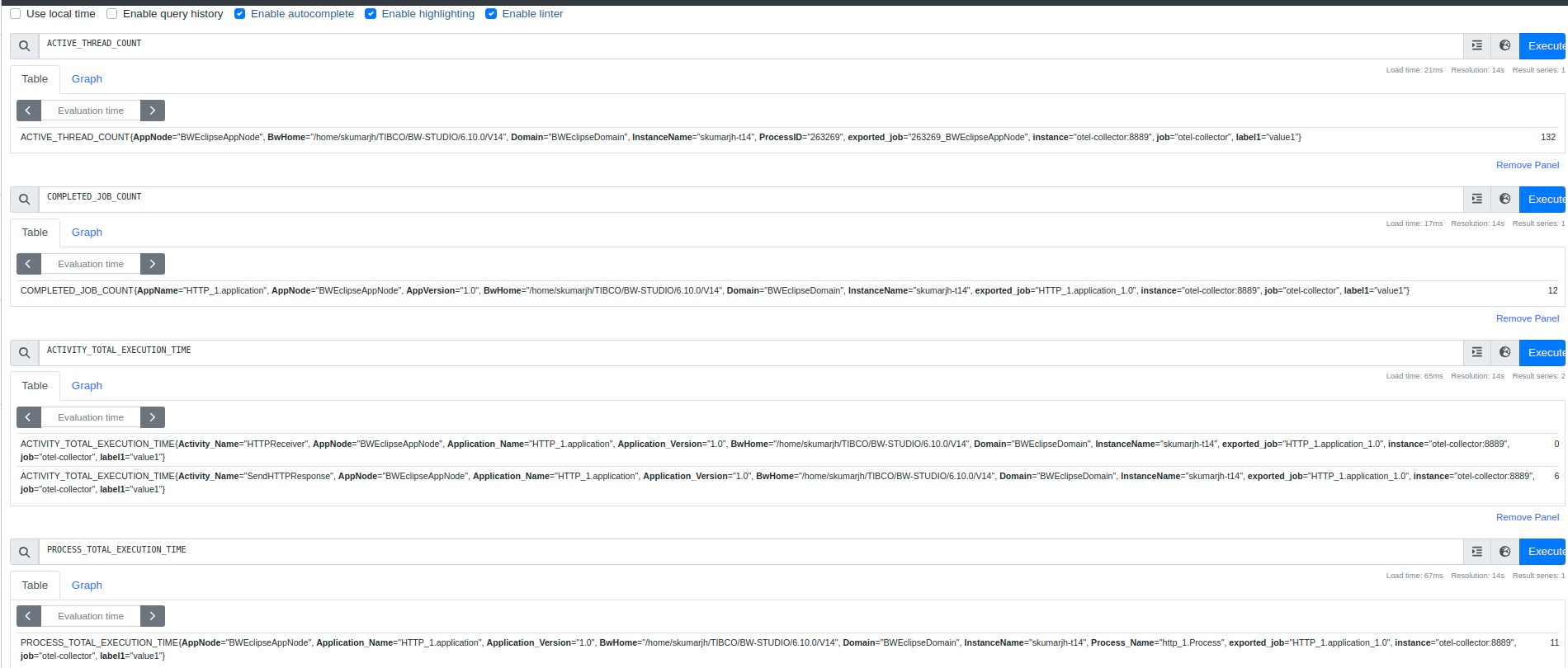
ActiveMatrix BusinessWorks can export metrics data to OpenTelemetry that can be leveraged by the OpenTelemetry backend-supported client.
The following metrics data are sent to OpenTelemetry:
-
App data (TOTAL_JOB_COUNT, etc.)
-
System data (ACTIVE_THREAD_COUNT, etc.)
-
Process and Activity data (ACTIVITY_MAX_ELAPSED_TIME, etc.)
The following properties must be enabled for exporting the metrics data to OpenTelemetry:
-
bw.engine.opentelemetry.enable=true -
bw.engine.opentelemetry.metric.enable=true
- Metrics (fields and their values) are displayed only if the relevant data is available.
- To enable the process and activity data in the OpenTelemetry metric, first enable the Process Instrumentation data property.
The bw.engine.opentelemetry.metric.exporter.endpoint property is used to set up the OpenTelemetry for metrics with remote machines or custom endpoints. When the OpenTelemetry Collector and the ActiveMatrix BusinessWorks application are running on two different machines, this property is added to get the metrics exported to the OpenTelemetry Collector at a specified IP/Host and Port.
If this property is not provided, the OpenTelemetry Collector picks localhost:4317 as a default endpoint.
For example, bw.engine.opentelemetry.metric.exporter.endpoint=http://<host ip>:<port>.