Using AWS Secret Manager for Credential Management Service
AWS provides an AWS Secret Manager Service for easier management of secrets. Secrets can be database credentials, passwords, third-party API keys, and arbitrary text. Secrets Manager is used to replace hard-coded credentials in the code, including passwords, with API calls to Secrets Manager to retrieve the secret programmatically.
For more information on how to modify password properties to use with credential management systems, see Using Credential Management Service for Properties of Type Password.
The AWS Secret Manager supports both Password and String type module properties.
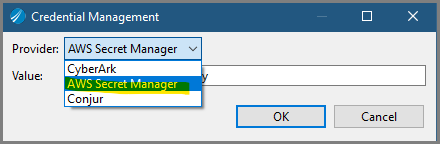
The AWS Secret Manager has two fields, Secret Name and Secret Key. In the Secret Name and Secret Key fields, add the secret name and secret key that is to be retrieved from the AWS Secret Manager.
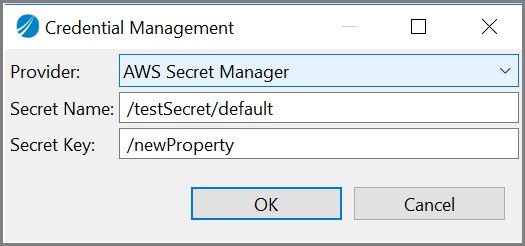
On the AWS systems manager console or using AWS CLI, the password properties need to be stored in AWS secret manager. The recommended format is to have secret name as/<applicationModule_name /<profile_name>. This makes sure that the property names are unique within the AWS secret manager as well as within the application. However other names can be used. The recommended format is using secret key as the
/<property_name>.
The secret name can either be the application module name or the shared module name along with the profile name and secret key. The secret key is the key whose value is to be retrieved from AWS secret manager. On
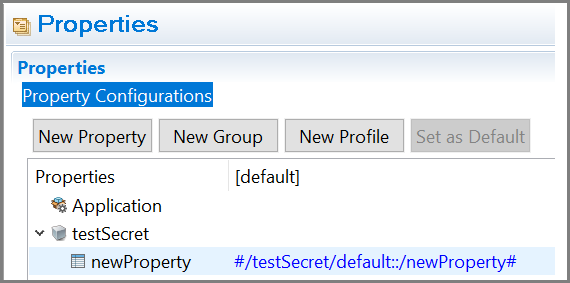
TIBCO Business Studio for BusinessWorks, the format is stored as
<secret_name>::<secret_key>.
For example,
#/testSecret/default::/newProperty#.
Procedure
Follow these steps to use AWS Secret Manager for Secrets Management Service:
- Set the environment variables
AWS_ACCESS_KEY_ID,
AWS_SECRET_ACCESS_KEY, AWS_SESSION_TOKEN,
AWS_REGION,
AWS_SECRET_MANAGER, and
APP_CONFIG_PROFILE. The
AWS_ACCESS_KEY_ID and
AWS_SECRET_ACCESS_KEY environment variables are used as credentials for authentication. In order to enable assume role, the following additional environment variables must be passed,
AWS_ROLE_ARN,
AWS_ROLE_SESSION_ARN,
AWS_EXTERNAL_ID (optional), and
AWS_EXPIRATION_ID
(optional).
- In the application properties section, select the
Credential Management option, and select
AWS Secret Manager and the value gets populated with the following format:
<secret_name>::<secret_key>.
config.ini file.config.ini file. For more information, see System Properties for AppNode.