Using AWS for Configuration Management Services
You can use the AWS Systems Manager Parameter Store for configuration and secret management services. This is defined by the token
#/<BW_APP_NAME>/<PROFILE_NAME>/<property name># in the application properties. Tokenize the application properties, where the
<property name> is the name of the configuration parameter.
For example,
#<property_name>#.
Note:
- The format
#/<BW_APP_NAME>/<PROFILE_NAME>/<property name>#is not a mandatory format that needs to be used. This format is used where the name of the properties is the same in two different applications whereas their values might be different. Although this is a recommended format to use. - Configurations can be configured using AWS by passing system properties in the AppNode's
config.inifile.
Follow these steps to use configurations from the AWS Systems Manager Parameter Store:
Procedure
- In
TIBCO Business Studio for BusinessWorks, navigate to the
Menu bar and select
, and set the environment variables
AWS_ACCESS_KEY_ID,AWS_SECRET_ACCESS_KEY,AWS_SESSION_TOKEN,AWS_PARAMETER_STORE,AWS_REGION, andAPP_CONFIG_PROFILE. - Select the desired profile as the default profile for TIBCO Business Studio for BusinessWorks to fetch the values from the AWS Systems Manager Parameter Store.
- In your AWS parameter store, define the keys using the format /
<BW_APP_NAME>/<PROFILE NAME>/<property name>.For example,
testproperty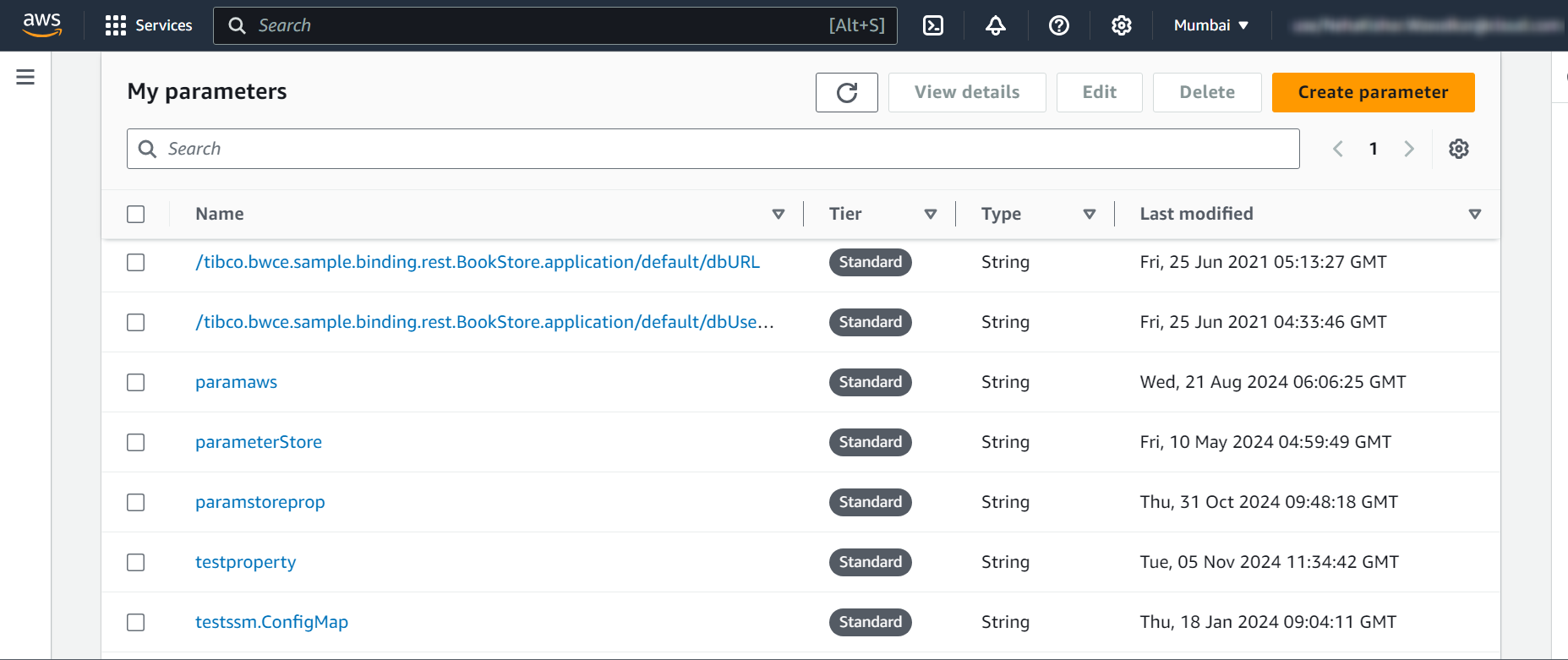
Note: When running the application using BWAdmin or TIBCO Enterprise Administrator, you must use the system properties instead of the environment variables by adding them to the AppNode's
config.ini file. For more information, see System Properties for AppNode.