Deleting an AppNode
Deleting an AppNode deletes any contained applications. From the bwadmin command line, AppNodes that are running must be force deleted.
bwadmin Command Line
To delete the AppNode MyAppNode in the AppSpace MyAppSpace, execute the following command at the command line:
BW_HOME\bin>bwadmin delete -d MyDomain -a MyAppSpace appnode MyAppNode
If the AppNode is running, the delete appnode command fails. You can stop the AppNode and retry the delete appnode command or use the delete appnode command with the -force option.
BW_HOME\bin>bwadmin delete -force -d MyDomain -a MyAppSpace appnode MyAppNode
To force delete the AppNode MyAppNode in the AppSpace MyAppSpace, and forcefully shut down the running AppNode, execute the following command at the command line:
BW_HOME\bin>bwadmin delete -timeout xx(time in minutes) -force -d MyDomain -appspace MyAppSpace appnode MyAppNode For more information, see
Force Shutting Down an AppNode.
To delete all AppNodes in the AppSpace MyAppSpace, execute the following command at the command line:
BW_HOME\bin>bwadmin delete -d MyDomain -a MyAppSpace -all appnode If any of the AppNode has running applications or if you want to forcefully delete all AppNodes, execute the following command:
BW_HOME\bin>bwadmin delete -d MyDomain -a MyAppSpace -force -all appnodeAdmin UI
- Procedure
- On the AppNodes page , click the check mark next to the AppNode to delete.
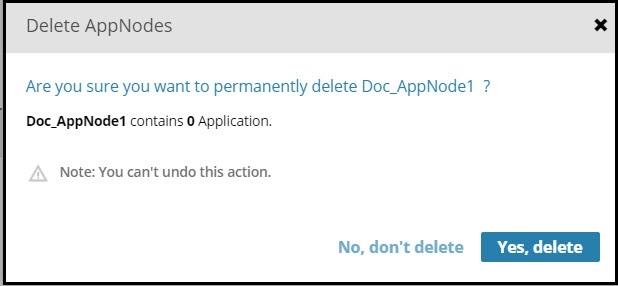
- Click Delete.
- Click
Yes, delete in the
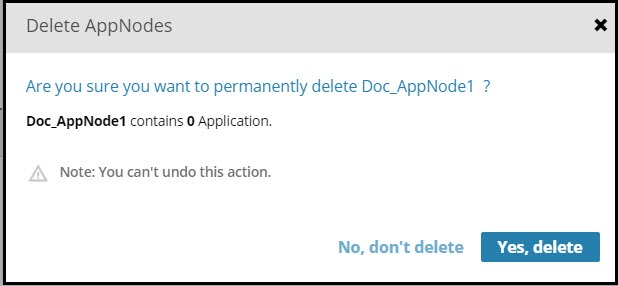
Delete AppNodes dialog box. The dialog box message displays the number of applications that are deleted.)