Child Table Order By Tab
You can use this tab to specify the column(s) of an Order By clause used for each child table query. The adapter returnS the child table result set in a particular sequence.
To do so, perform the following steps:
Procedure
| 1. | Click a child table name, and then click Select Column. The Select Child Table Order By Columns dialog is displayed. |
Figure 82: Select Child Table Order By Columns Dialog
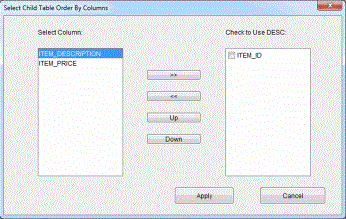
| 2. | Select the column(s) for the Order By Clause from the left panel, and then click the >> button to move the column(s) into the right panel. Use the Up and Down buttons to arrange the column order by sequence. |
| 3. | Select the check box next to the column name in the Check to Use DESC panel, and click Apply. |