Startup Tab
This tab displays the default startup behavior. Do not change the settings in this tab. Click Apply to apply the changes before leaving this tab. See the following figure:
Figure 78: Adapter Instance: Startup Tab
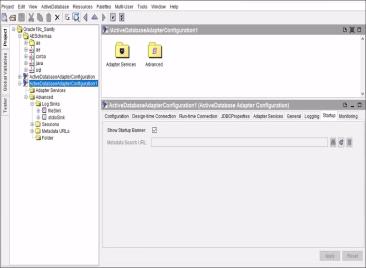
The following table lists and explains the fields on the Startup tab.
|
Field |
Description |
|
Show Startup Banner |
Defines whether to display a startup banner when the adapter is started. The startup banner displays the runtime adapter version, the infrastructure version on which the adapter is built, and copyright information in the console window when the adapter is started. By default, this check box is selected, indicating that the banner is displayed. |
|
Metadata Search URL |
Location where the adapter searches for base schemas. The adapter searches for any schema that has been defined and saved at this location, and that is loaded at startup. This field is predefined and cannot be changed. |