Overview of Configuration Console
You can use the Configuration console for the application you created to:
|
•
|
Manage the properties of the application at the application level, service level, and service instance level. |
|
•
|
Perform the following deployment operations: |
|
—
|
Deploying and undeploying an application. |
|
—
|
Updating an application. |
|
—
|
Reverting a deployment: choosing an earlier deployment configuration if it was available. |
|
—
|
Viewing the deployment history. |
To open the console, select the application from either the Application Management module, All Applications in the Application Management module, or the folder which includes the application.
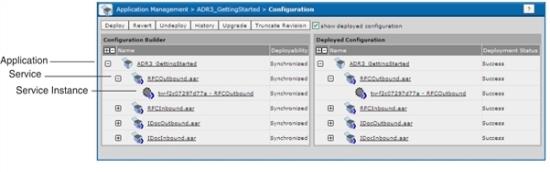
The console consists of two panes, Configuration Builder and Deployed Configuration. Each pane contains applications, service configurations, and service instances. The following figure shows the Configuration console:
Figure 116: Application Configuration Console
|
•
|
Configuration Builder Use this pane to change properties for the deployment. |
|
•
|
Deployed Configuration View the deployment properties after deploying an application. When you select an application, service or service instance in the Deployed Configuration panel, the displayed dialog is read-only, |