General Tab
The following figure shows the General tab.
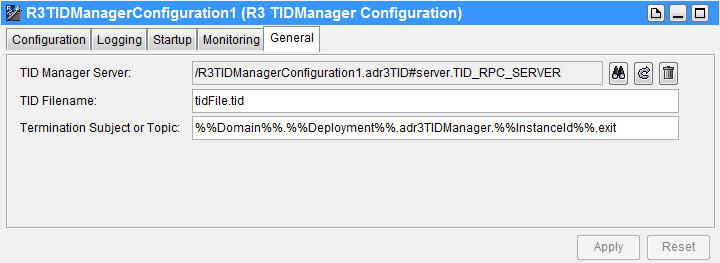
The following table lists the fields in the Monitoring tab.
|
Name |
Description |
|
TID Manager Server |
The reference of the TIDManager server. To browse to locate the appropriate server endpoint, click Browse Resources. To configure the RPC server, click Go To. By default, an endpoint named By default, the subject name for the TIDManager Server Session is
|
|
TID Filename |
A unique TID filename. The TID file is used by the TIDManager to maintain state information on the transaction IDs (TID) sent from or to the SAP system. By default, the name of the TID file is It is recommended that you use the name of the TIDManager instance as part of the filename. |
|
Termination Subject or Topic |
The termination subject or topic. A message sent to the termination subject or topic stops the adapter. The subject or topic must be unique to each TIDManager instance. The default value of the termination subject is given next.
The message contains For example: When the transport type is JMS use the following command to stop the adapter.
See TIBCO Rendezvous Concepts for information about specifying subject names. See the TIBCO Enterprise Message Service product documentation for information about publishing on a topic. |