Choosing From Existing Entries
Use the Choose from existing entries option to select an existing participant instance to add it to a relationship instance. All the instances of the entity that are added to a relationship are available participant instances for selection.
- Procedure
- Click
Choose from existing entries.
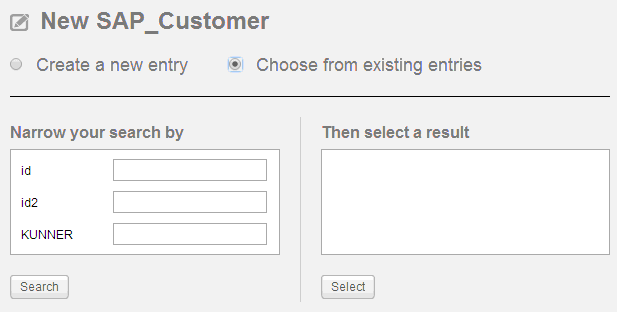
- Provide a value for each attribute in the Narrow your search by panel to search entity instances.
- Click
Search.
Entity instances that confirm to the search criteria specified in Provide a value for each attribute in the Narrow your search by panel to search entity instances.Note: If no search criteria is specified, all the existing entity instances are displayed. The first 20 entity instances are displayed in the right panel. Slide the scrollbar down to view more.
- Click the entity instance that you want to add to the relationship instance from the right panel and click
Select.
Note: If an entity instance is grayed out, it indicates that the entity is already added to an identity relationship instance and cannot be added to another identity relationship instance.