Managing Users
Use the User Management option to create, delete, and update SmartMapper Business UI users.
Note: Only the administrator has privileges to manage users.
- Procedure
- Click your account in the upper right corner of SmartMapper Business UI and click
User Management.
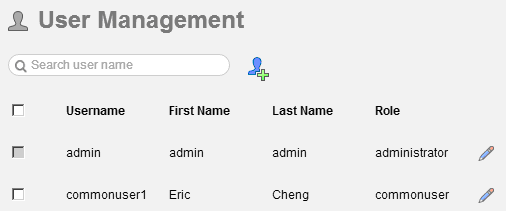
- Do the following steps to manage SmartMapper Business UI users:
Enter the user name of the user that you want to search in the search field.Click
 to add a user. See
Adding a User.
Select check boxes next to the users that you want to delete and click
to add a user. See
Adding a User.
Select check boxes next to the users that you want to delete and click ,
Click
,
Click to edit a user.
Note: The user name of a user cannot be changed.
to edit a user.
Note: The user name of a user cannot be changed.
Subtopics