Testing a Connection to a JDBC Resource
You can test the connection to the configured database when you create or update the JDBC resource template from the Application Configurator. If any issues are found in the configuration, you will see a message as JDBC Test Connection FAILED. Use this feature to verify database configuration errors before the application attempts the JDBC connection.
-
Before creating Application Configurator image, copy custom features(JDBC driver DAA) to
amsgce-runtime-<version>/applicationConfigurator/application/. -
Create Application Configurator image, so these custom features will be enabled for Application configurator.
-
Alternatively, if you are running Application Configurator in Docker, mount a local directory containing the database drivers with the Application Configurator container directory
thirdpartyjdbcdriversby using the following Docker command:docker run -p 8087:8087 -v /home/tibco/jars/:/opt/tibco/tibco.home/thirdpartyjdbcdrivers --name amxceac amxce_ac:1.0
thirdpartyjdbcdrivers directory for each database that you want to use. If there are more than one driver JAR files, the first in the list is used to make the database test connection.- Procedure
- (Optional) To check enabled database drivers, click About in the upper-right corner.
- In the Application Configurator, click the Resource Template tab.
-
When creating or updating a JDBC resource template, click Test Connection
 in the upper-right corner.
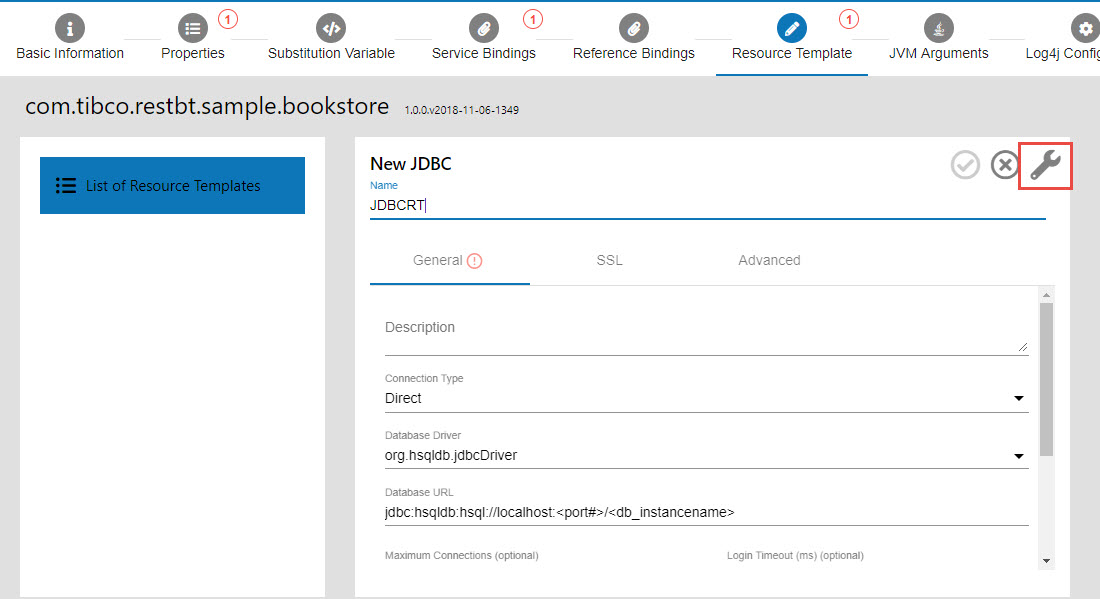
If the test connection is successful, you can see the test result as SUCCESSFUL.
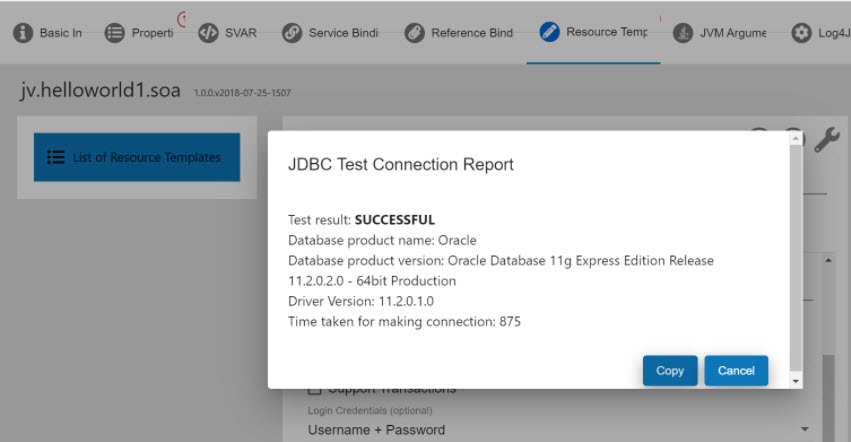
If the test connection fails, test result is displayed as FAILED with the error message. You can copy the test results by using the Copy button.
