Viewing and Downloading Agent Logs
You can view or download the logs for an agent on the Agent Information page. Click the  Agent Log button to download logs or you can also view logs in a browser by clicking the
  Agent Log button.
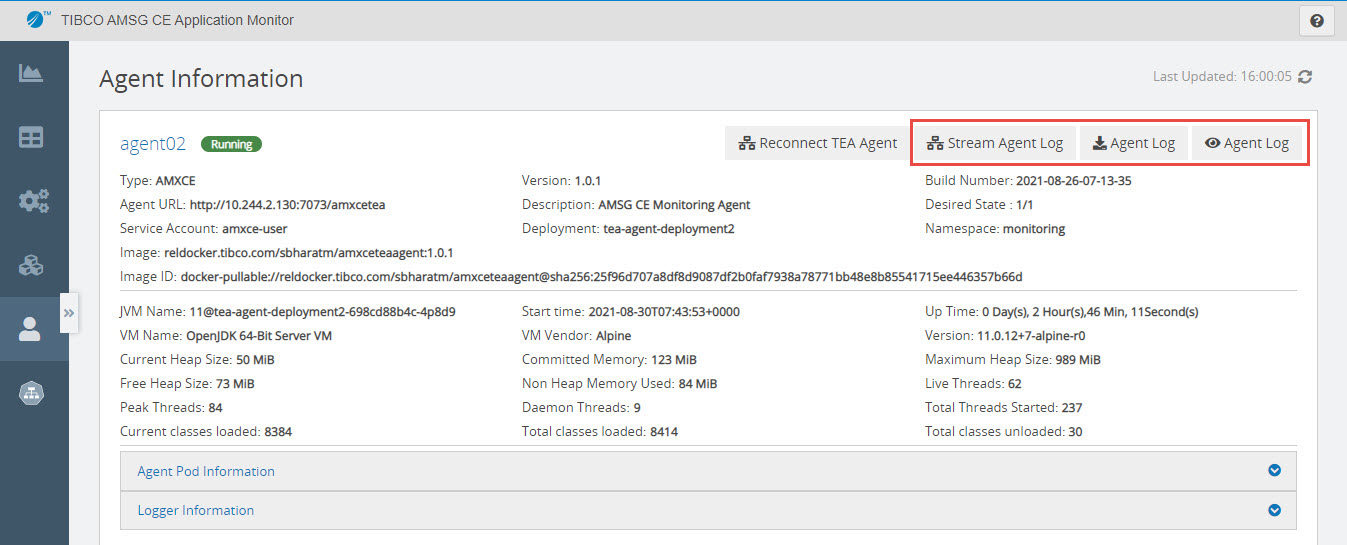
The default name of the log file is <Agent Name>-teaagent_TimeStamp.log.
Streaming Logs in Real Time
To stream Application Monitor agent logs in real time, click Stream Agent Log. Log stream is displayed in a new tab. Polling time is 5 seconds to fetch the latest log entries. Initially, the last 1000 lines from the logs are displayed. After that for every poll, the lines after the last received line timestamp to the current timestamp are displayed.
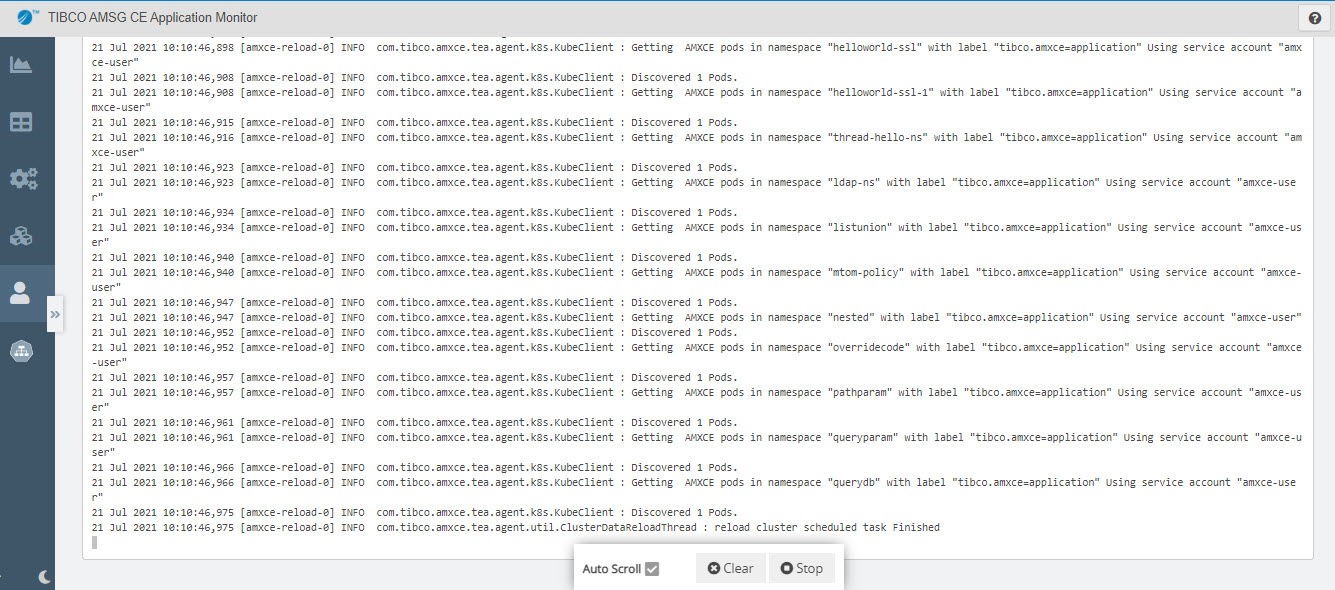
Click Stop to stop the log stream, and Stream to start the log stream again. To clear all the log entries, click Clear. If the Auto Scroll check box is selected, the page scrolls down automatically when new log entries are added.