Creating Shared Resources to Publish BPM Audit (SSL Enabled)
You can create shared resources on TIBCO Administrator and use them to publish BPM audit data to a secure destination.
- creating shared resource templates on TIBCO Administrator for the following:
- Keystore provider
- SSL client provider
- JNDI connection configuration
- JMS connection factory
- JMS destinations
On TIBCO Enterprise Message Service (EMS):
- The EMS server must be configured in SSL mode.
- The client and server keystores must be created.
- The required topics and queues must be created.
- The JNDI Names for the connection factories, queues and topics must be created.
- Procedure
- Keystores can be created on the EMS server using the Java KeyTool. To create a keystore on the EMS server:
- Generate EMS Server PKCS12 Keystore. For example,
keytool.exe -genkeypair -keystore test.p12 -storetype pkcs12 -alias test -keysize 2048 -keyalg RSA -sigalg sha1withrsa -validity 3650
- Extract a client certificate from the generated keystore. For example,
keytool -exportcert -storetype pkcs12 -keystore test.p12 -file test_client.cer
- Bundle the certificate in a JKS keystore container. For example,
keytool -importcert -file test_client.cer -keystore client.jks
- Generate EMS Server PKCS12 Keystore. For example,
- Create the queues, topics and JNDI names using
tbemsadmin. For example,
connect ssl://localhost:7243
- Create a topic. For example,
create topic ECSSLTopic
create jndiname ECSSLTopicJNDI topic ECSSLTopic
- Create a queue. For example,
create queue ECSSLQueue
create jndiname ECSSLQueueJNDI queue ECSSLQueue
- Create a topic. For example,
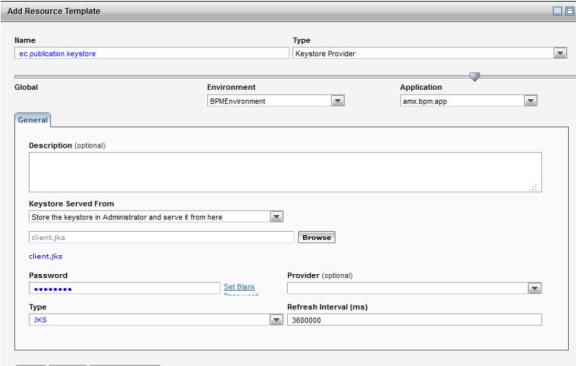
- In TIBCO Administrator, add a resource template of type
Keystore Provider. The resource template name must be prefixed with "ec." For example,
- Add a resource template of type
SSL Client Provider.
The resource template name must be prefixed with
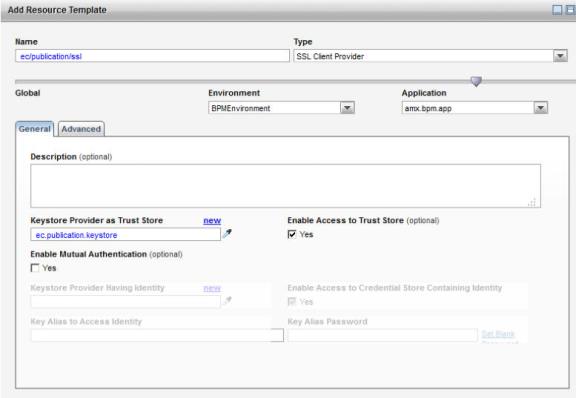
ec/publication. The Keystore Provider should point to the one you created earlier. - Add a resource template of type
JNDI Connection Configuration. The resource template name must be prefixed with
ec/publication. For example,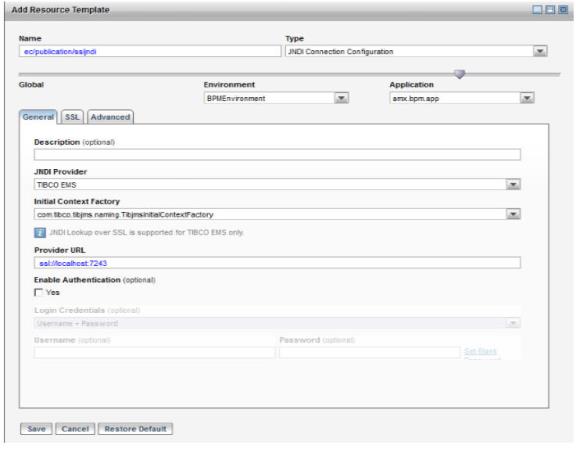
- The JNDI Provider URL should be the URL of the TIBCO EMS server (configured in SSL Mode).
- Click the SSL tab and select Yes for SSL Enable.
-
The SSL Client Provider should point to the SSL Client Provider you created earlier.
- Add a resource template of type
JMS Connection Factory. The resource template name must be prefixed with
ec/publication. For example,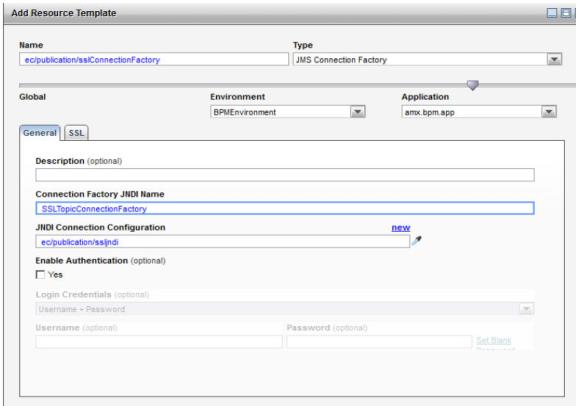
- The connection factory in the ECPublicationJMS.properties file should point to the name of the shared resource without the
ec/prefix. In this example,publication/sslConnectionFactory. - Click the SSL tab and select Yes for SSL Enable.
- The SSL Client Provider should point to the SSL Client Provider you created earlier.
- The JNDI connection configuration should point to the one you created earlier.
- The connection factory in the ECPublicationJMS.properties file should point to the name of the shared resource without the
- Add a resource template of type
JMS Destination
. The resource template name must be prefixed with
ec/publication. For example,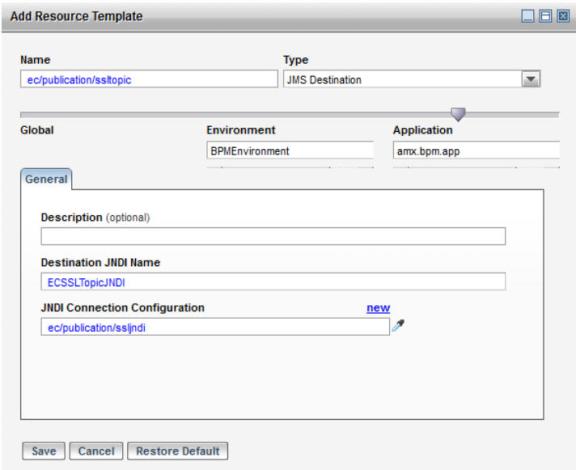
- The destination JNDI Name must match the JNDI name for the destination created earlier.
- The JNDI connection configuration should point to the one created earlier.
- Add a resource template of type
JMS Destination
. The resource template name must be prefixed with
ec/publication. For example,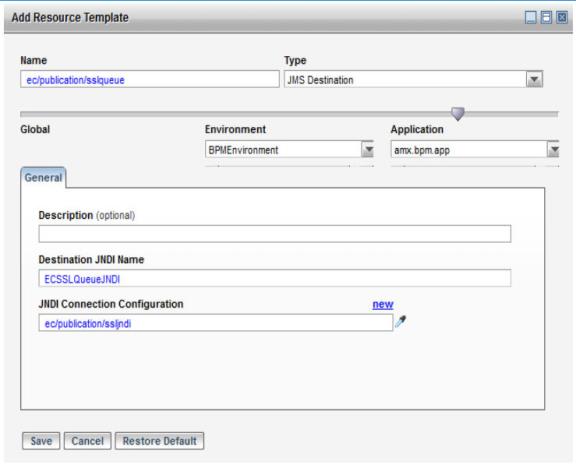
- The destination JNDI Name must match the JNDI name for the destination created earlier.
- The JNDI connection configuration should point to the one you created earlier.
- Add the new destination to
ECPublicationJMS.properties file. For example,
connectionFactory=publication/SSLTopicConnectionFactory

jmsDestinationResourceNames=publication/ECSSLTopicJNDI;publication/ECSSLQueueJNDI
See Publishing BPM Audit Data Using an Administrator Shared Resource for more information about this file. - Enable event publication in the
ECPublicationJMS.properties file. For example,
PublicationEnabled=true
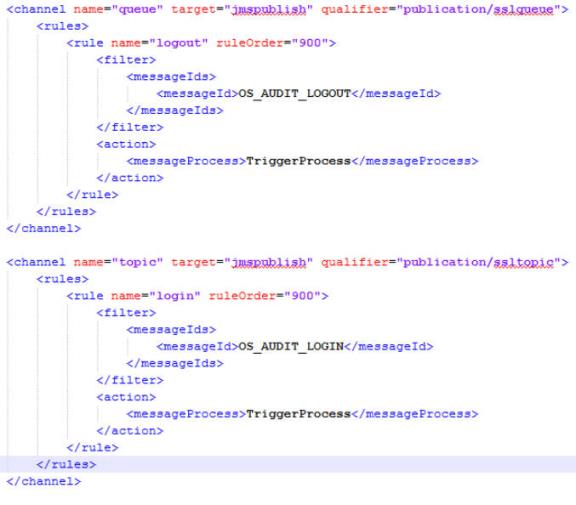
- Configure theec-event-rules.xml file. For example,
Each target can have a qualifier.The qualifiers must match the names of the shared resources for the JMS Destinations (without the "ec/" prefix). If you exclude the qualifier, the rules you configure will apply to all destinations.