Configuring a RoundRobin Target Operation Group
To configure a target operation group of RoundRobin type, select the type of target operation group as RoundRobin. Follow these steps:
- Procedure
- Click the Target Operation Groups tab.
- Enter the value for the following fields:
- Specifies the name of the target operation group. This can be any name defined by a user.
- This is a Required field.
- Save the changes to the configuration.
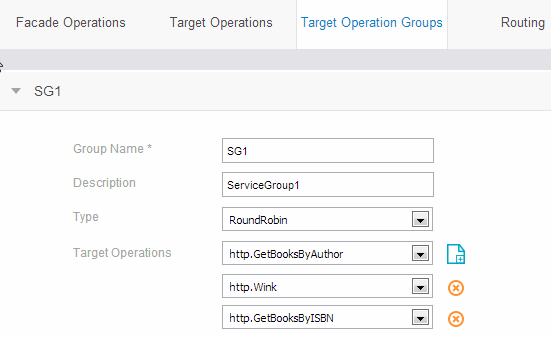
- Figure RoundRobin Target Operation Group Configuration shows the RoundRobin Target Operation Group configuration.
| Parameter | Description |
|---|---|
| Group Name |
|
| Description | A short user description of the target operation group. |
| Type | Select RoundRobin from the drop-down list. See RoundRobin Target Operation Group Configuration. |
| Target Operations | Specifies the list of target operations in the group. Add multiple target operations using the
Add Target Operation ( )icon to a target operations group. The target operations must be configured under the Target Operations group. )icon to a target operations group. The target operations must be configured under the Target Operations group.
|