Viewing a Dynamic Organization Model Template
You can see the structure of dynamic organization model templates from the Organization Browser.
- Procedure
- From the Organization Browser, click
Organizations, then expand the hierarchy and select the organization unit for which you want to view the dynamic organization model template.
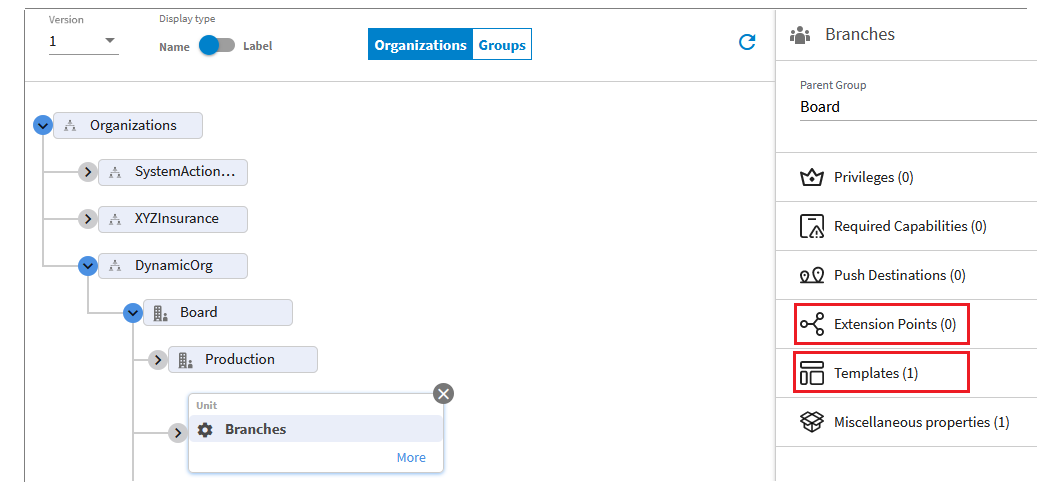
The organization unit must have been designated for an extension point when it was defined in TIBCO Business Studio. When you select a dynamic organization unit, it includes Extension Points and Templates properties. For example:
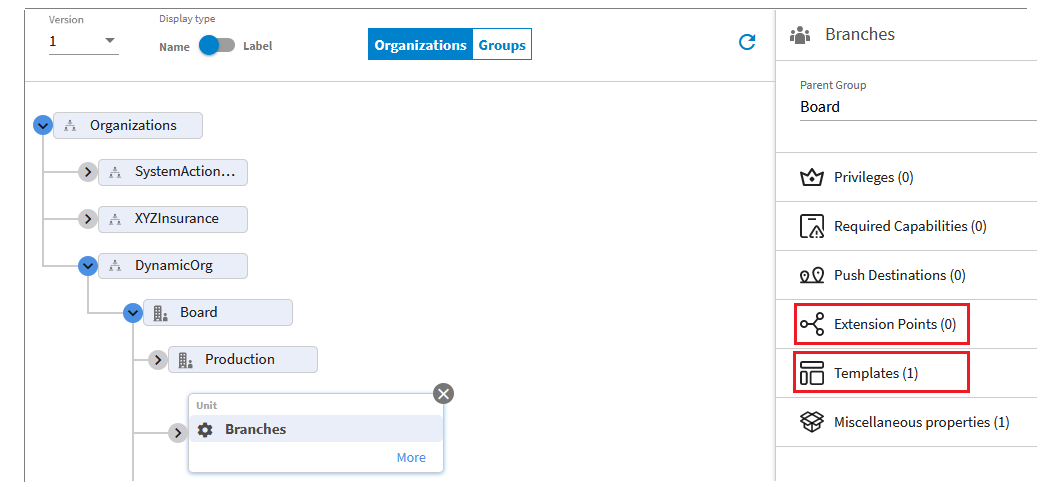
- Select the
Templates property, then click
View Template.
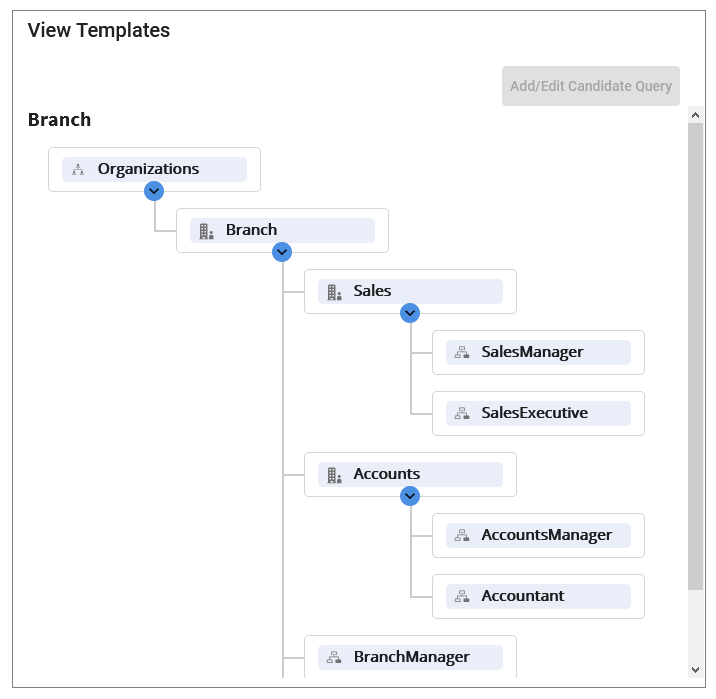
The structure of the dynamic organization is shown. For example:
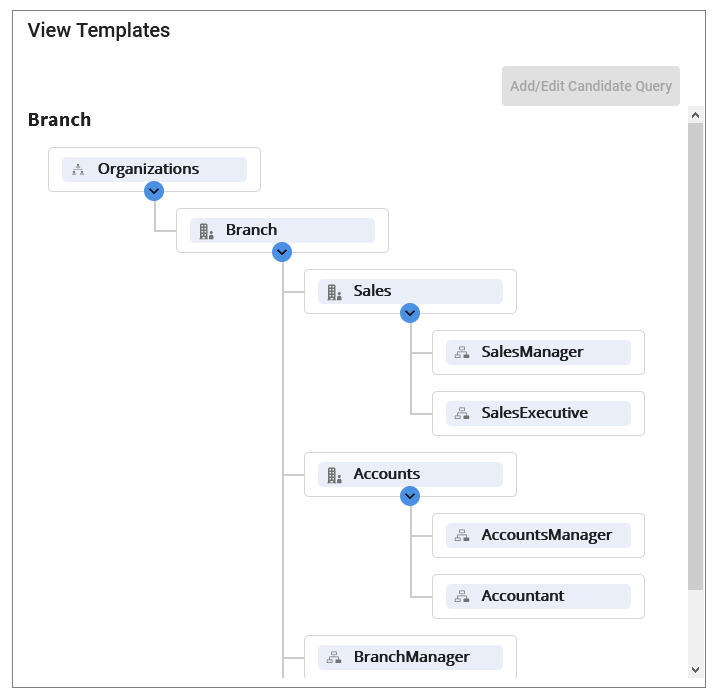 Note: You can also define a candidate query from this dialog box, using the Add/Edit Candidate Query button, to populate positions of the dynamically generated organization model. For information, see Populating Dynamic Organization Models.
 - Click Close to close the Dynamic Org Template dialog box.