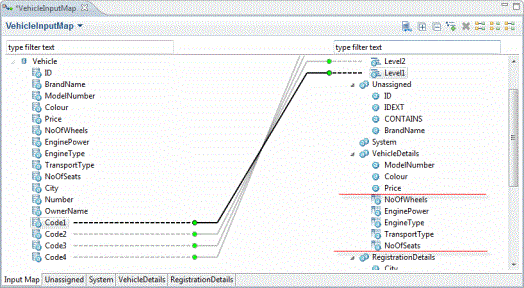
Adding Category Attributes
By Default Category Specific Attributes are not listed in Input Map Editor. You can add an existing Category Specific Attribute to the Input map Editor.
- Procedure
- Open Input Map and click
 to add new category attributes.
- Category attribute dialog box is displayed, select the checkbox corresponding to the category attribute selection or search the category attribute using the pattern based search. For example, *e.
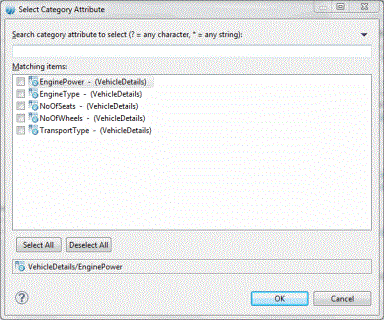
- Click OK.
- The added category attributes are displayed in the selected input map.