Adding a Match Case
Complete the following steps to add a Match Case.
- Procedure
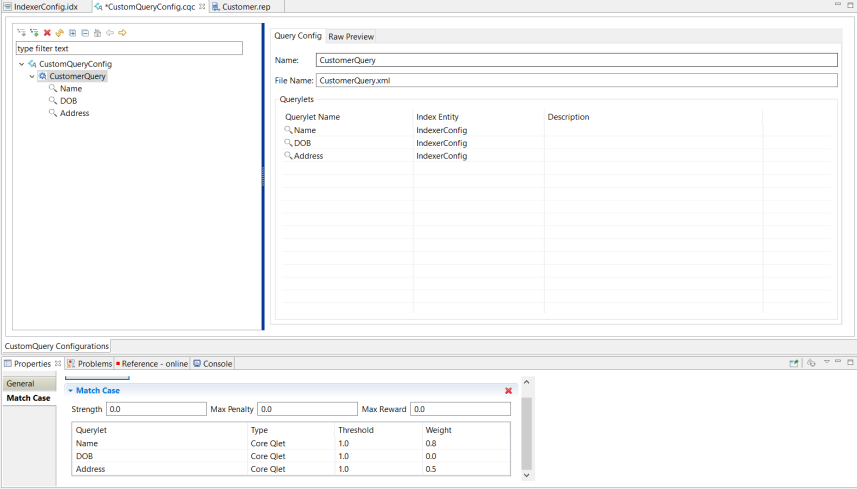
- From the Project Explorer, navigate to Configurations > CustomQueryConfig.cqc.
- In the CustomeQueryConfig.cqc panel, expand the CustomQueryConfig and select a Query Config where you want to add Match Cases.
- In the Properties tab, click Match Case and then click Add Match Case to provide the match case rule details.
- For each Querylet, specify the Strength, Max Penalty, Max Reward, Threshold, and Weight.
- Select the Querylet type from Type dropdown menu.