Import Mappings - XSD to Business Object Model
An XML schema document (XSD) can be imported into TIBCO Business Studio - BPM Edition to create a Business Object Model. This section describes the mappings between the original XSD constructs and the resulting Business Object Model constructs.
For more information, see Importing XML Schema Files.
In addition to creating UML elements in the Business Object Model, the original XSD information is also stored internally as stereotypes defined within a custom UML profile. This information is used if the Business Object Model originating from an XML schema import is re-exported as XSD so that the exported schema can be reconstructed to be logically equivalent to the original without loss of information. For more information, see Export Mappings.
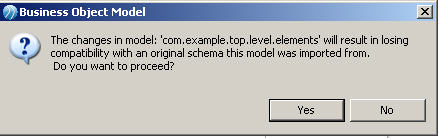
Clicking OK will remove the profile containing the original XSD information. Subsequent export of this Business Object Model to XML Schema will follow the mappings for a "user-defined" Business Object Model outlined in Export Mappings.
Target Namespace
The schema ExampleSchema.xsd with the following namespace information:
<schema xmlns=http://www.w3.org/2001/XMLSchema targetNamespace="http://www.example.org/ExampleSchema"
 mlns:tns="http://www.example.org/ExampleSchema" elementFormDefault="qualified">
</schema>
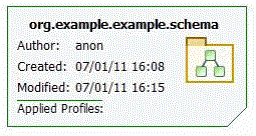
Creates a Business Object Model called ExampleSchema.bom with the following:
Included Schemas
XML schemas can include other schema of the same target namespace. Included schemas are merged into a single Business Object Model.
Imported Schemas
If ExampleSchema.xsd has the following <import> construct:
<import namespace="http://www.example.org/ImportedSchema" schemaLocation="ImportedSchema.xsd"/>
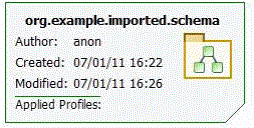
Then in addition to ExampleSchema.bom another BOM is generated called org.example.imported.schema.bom with the following details