Scripting
You can enhance the functionality of your forms by writing JavaScript code snippets on certain tabs in the Properties view.
There are two contexts where scripts might be added:
-
ActionsActions might contain script, and are invoked as a part of one or more rules in response to a triggering event.
To learn more, see Actions and Setting Rules.
-
ValidationsValidations are scripts that determine you have specified a valid value for a control. When you specify a validation script, you configure it to run either when the form is submitted, or when the value for the control changes.
To learn more, see Form Builders and Form Validation and Data Validation in a Form.
Note:Business Analysis Capability versus Solution Design CapabilityTo create or modify scripts as shown in this section, you must ensure that the Solution Design capability is enabled. You can change modes by clicking the Capability button on the TIBCO Business Studio - Cloud BPM Edition toolbar to open the drop-down list, if you are not already in the desired mode: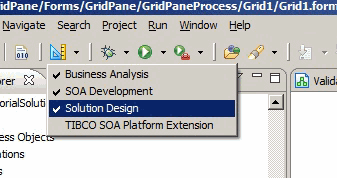
Subtopics