Creating JSON Schemas from a JSON Sample
You can use the Import JSON Schema wizard to import and save various formats of JSON schema definitions.
- Procedure
- Select from a REST services project.
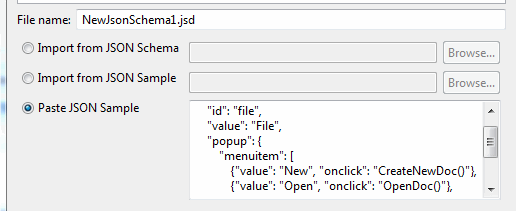
- You can choose to do one of the following:
Import from JSON Schema: you can import an existing JSON schema.Import from JSON Sample: this allows you to import a sample of JSON data, and TIBCO Business Studio - BPM Edition creates a schema that describes the data structure.Paste from JSON Sample: this allows you to paste a sample of JSON text directly into the wizard and TIBCO Business Studio - BPM Edition creates a schema that describes the data structure.
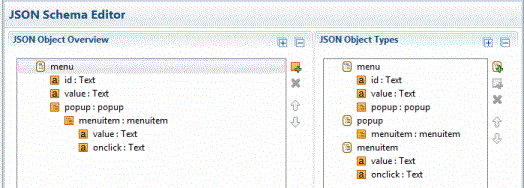
- You can now view and edit the JSON schema you imported or pasted in the JSON schema editor.
 Note: If you import a sample that is an array, then you need to import it as a single instance type and specify that it is an array on a specific method call in the REST Service Descriptor file. See Creating JSON Schemas.