Process Modeler Properties View
The Properties View shows you detailed information about the currently selected object and allows you to specify the characteristics of an object.
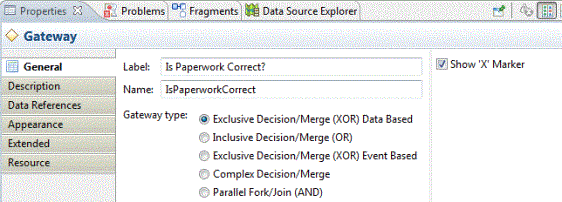
A partial set of the Business Process Modeling Notation (BPMN) is supported by the Properties View. For example, if you are creating a gateway in your process diagram, you can select the type of gateway you want in the Properties View:
To see this view, go to or , then expand the General folder and select Properties. To view property information, you must have an object selected.
Labels and Names
The Name is usually made up of the Label without white space or special characters. The Name is used for referencing items where white space or special characters are restricted (for example, scripts, and expressions). The Label is used for on-screen display.
If the Name has not been modified from the default, it automatically changes to match the Label when the Label is changed.