Timer Event Scripts
Scripts can be added to Start events or Catch Intermediate events in the Properties view, if the event is defined as triggered by a timer.
There are several script types available from the Script Defined As list:
- Free Text - You can use this field to enter text that describes the desired behavior for the script.
Note: On the General tab, there might already be text comments describing the required script. These comments are lost if you change the select JavaScript from the Script Defined As list. If you need to save these comments, copy them before changing the script type.
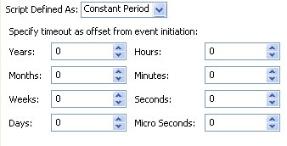
- Constant Period - This allows you to specify the timeout period after the event is initiated using the following time units.
- JavaScript - This script type allows you to enter JavaScript statements in the space provided. The length of the script does not matter. The script final statement must be a date, time, or datetimetz type for an absolute datetime deadline.
var date1 = new Date('December 17, 1995 03:24:00');If only a Date is present, the event is fired immediately when the deadline is created (in the runtime environment) on the specified date. If only a Time is specified, the event is fired at the specified time on the current date.
Alternatively, the final statement of the script can be a duration string in the ISO 8601 format to use the in-scope calendar. The following is an example of an ISO 8601 duration string deadline script:// Set value of timer to ISO 8601 duration 'Now plus 2 days'
// The resultant deadline will take in-scope calendar configuration into account (for working days etc).
"P2D";
Subtopics