The History View consists of two sections: the Revisions section, which list all revisions of the artifact, and the Details section, which lists detailed information about the selected revision.
Revision Section
The Revision Section Columns
| Property
|
Description
|
| Revision ID
|
The unique ID assigned to the revision
|
| Actions
|
Action performed on the resource. The values are:
|
| Author
|
The user who performed the action on the resource.
|
| Date
|
The date and time when an action was performed on the resource.
|
| Message
|
Comment entered during committing the resource for the revision.
|
The Details section
The Details section displays the resource level information on selection of one or more revisions in the Revision section.
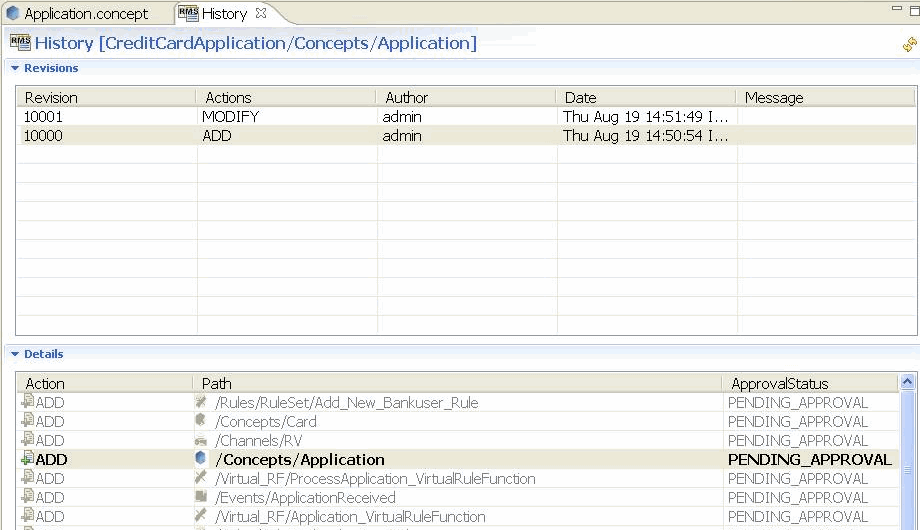
The Details Section Columns
| Property
|
Description
|
| Action
|
Action performed on the resource. The values are:
|
| Path
|
Path of the resource in the project.
|
| ApprovalStatus
|
Approval status for the resource in selected revision.
|
Copyright © Cloud Software Group, Inc. All rights reserved.