Tokenizing Application Properties
To tokenize application properties, a new button Tokenize the property is added in the Properties view for application properties. Tokenizing supports properties of type boolean, string, integer, long, and password.
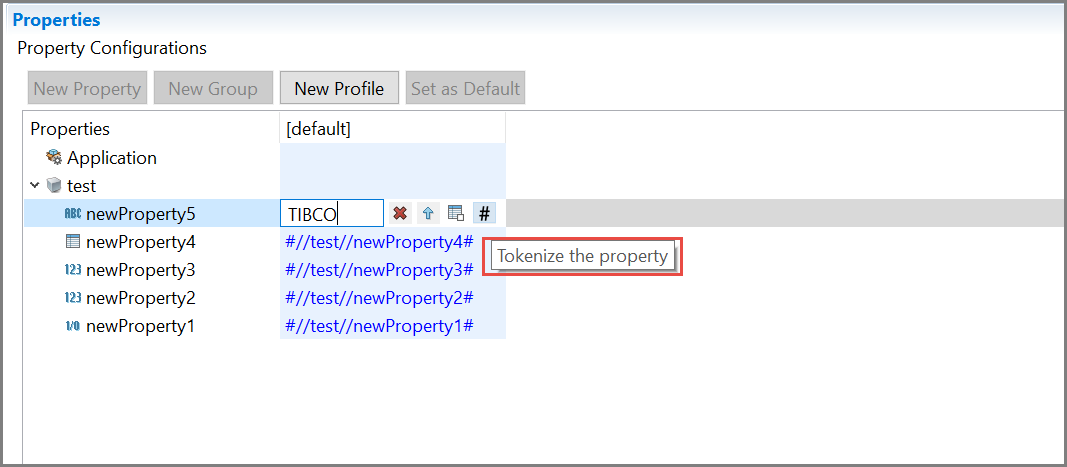
After tokenization, the property value is set in the format //<ApplicationName>//<PropertyName>. Once the user tokenizes a property, the original default value for the property is lost.
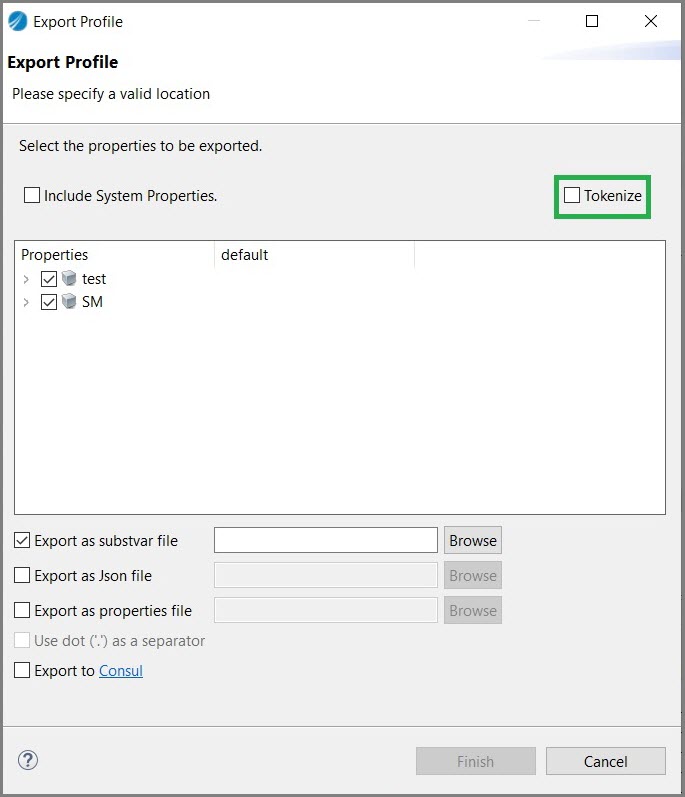
By default, the Tokenize checkbox is unchecked. Select the Tokenize checkbox to auto-tokenize property value for the Export as properties file profile.
| Data Type | Property Name | Values Before Tokenization | Values After Tokenization/ Values Before Export | Values after Export | Values after Export in the properties file | ||||
|---|---|---|---|---|---|---|---|---|---|
| Default | Default | Default | Default | ||||||
| String | newProperty5 | #//test//newProperty5# | #//test//newProperty5# | newProperty5 | |||||
| Password | newProperty4 | #//test//newProperty4# | #//test//newProperty4# | a String: PASSWORD | |||||
| Integer | newProperty3 | 0 | #//test//newProperty3# | #//test//newProperty3# | 0 | ||||
| Long | newProperty2 | 0 | #//test//newProperty2# | #//test//newProperty2# | 0 | ||||
| Boolean | newProperty1 | false | #//test//newProperty1# | #//test//newProperty1# | false | ||||
The following table lists the values of five different types of properties if the default tokenized values are provided for all the properties and exported as properties file
| Data Type | Property Name | Values Before Tokenization | Values After Tokenization/ Values Before Export | Values after Export | Values after Export in the properties file | ||||
|---|---|---|---|---|---|---|---|---|---|
| Default | Default | Default | Default | ||||||
| String | newProperty5 | TIBCO | #//test//newProperty5# | #//test//newProperty5# | newProperty5 | ||||
| Password | newProperty4 | *** | #//test//newProperty4# | #//test//newProperty4# | a String: PASSWORD | ||||
| Integer | newProperty3 | 1 | #//test//newProperty3# | #//test//newProperty3# | 0 | ||||
| Long | newProperty2 | 12345 | #//test//newProperty2# | #//test//newProperty2# | 0 | ||||
| Boolean | newProperty1 | true | #//test//newProperty1# | #//test//newProperty1# | false | ||||
//test///newGroup/newGroup1/newProperty5=newGroup.newGroup.newProperty5| Data Type | Property Name | Values Before Tokenization | Values After Tokenization/ Values Before Export | Values after Export | Values after Export in the properties file | ||||
|---|---|---|---|---|---|---|---|---|---|
| Default | Default | Default | Default | ||||||
| String | newProperty5 | TIBCO | #//test//newProperty5# | #test.newProperty5# | newProperty5 | ||||
| Password | newProperty4 | *** | #//test//newProperty4# | #test.newProperty4# | a String: PASSWORD | ||||
| Integer | newProperty3 | 1 | #//test//newProperty3# | #test.newProperty3# | 0 | ||||
| Long | newProperty2 | 12345 | #//test//newProperty2# | #test.newProperty2# | 0 | ||||
| Boolean | newProperty1 | true | #//test//newProperty1# | #test.newProperty1# | false | ||||
test.newGroup.newGroup1.Property5=newGroup.newGroup.newProperty5Retaining Tokenization Value for External Shared Module Version Change
If an application module is using any module property from the External Shared Module and this property is tokenized, use this option to retain existing tokenized values of the Module Property in case the External Shared Module version is changed.
- Select Windows > Preferences > BusinessWorks > Application Properties.
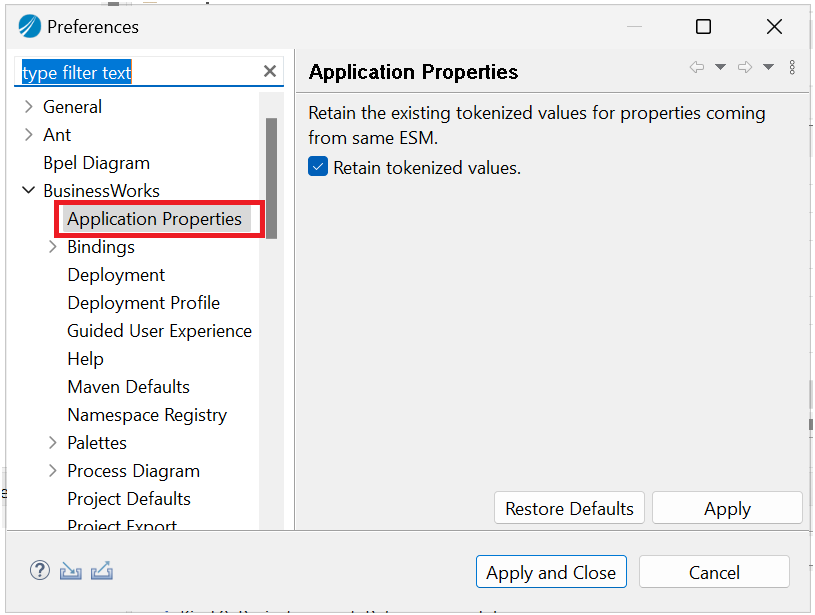
- In the preferences, select Retain tokenized values.
- Click Apply and OK.
Result:This will retain the tokenized value across ESM version upgrades.
- Procedure
-
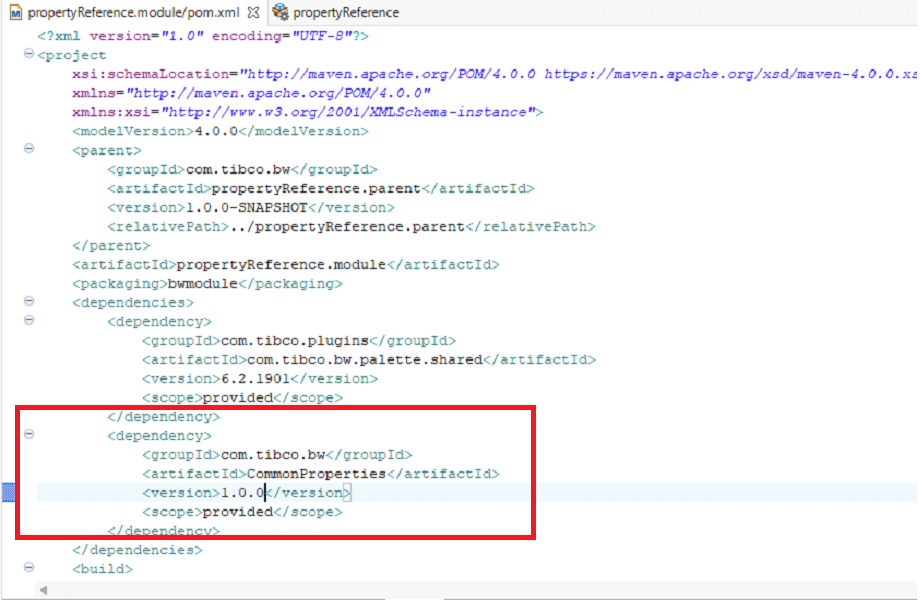
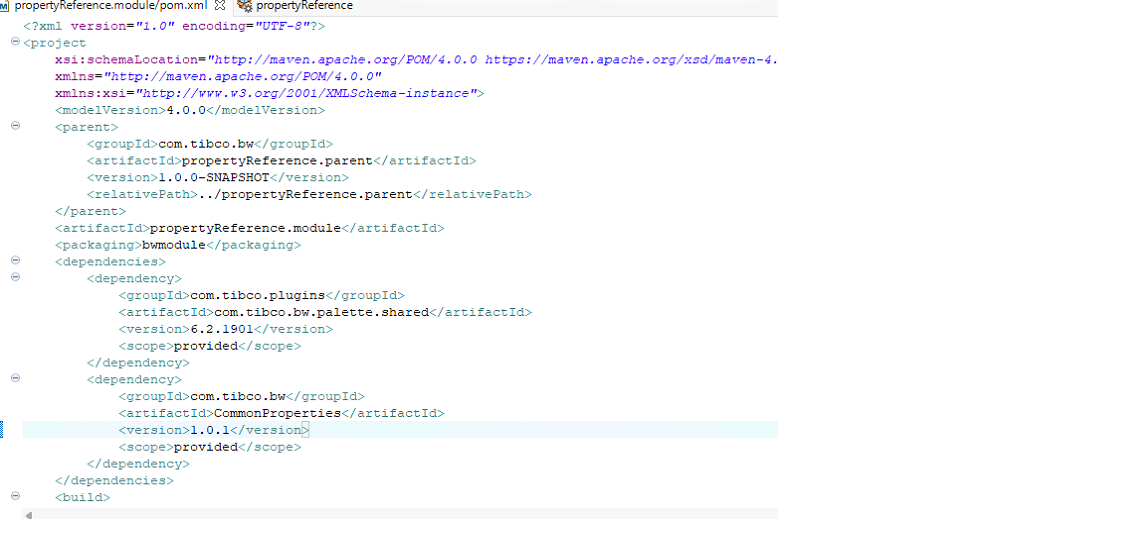
Add ESM details in the module POM under dependency tag.
-
Double-click Application Properties.
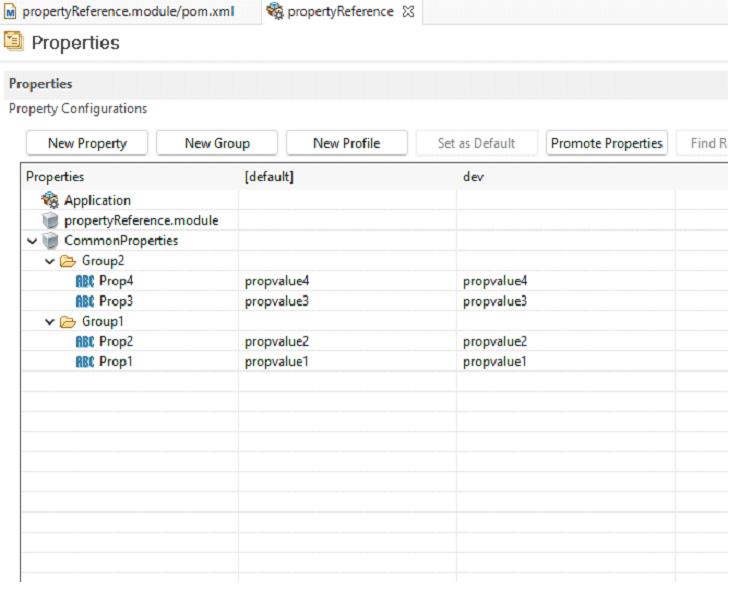
- Tokenize the properties and save.
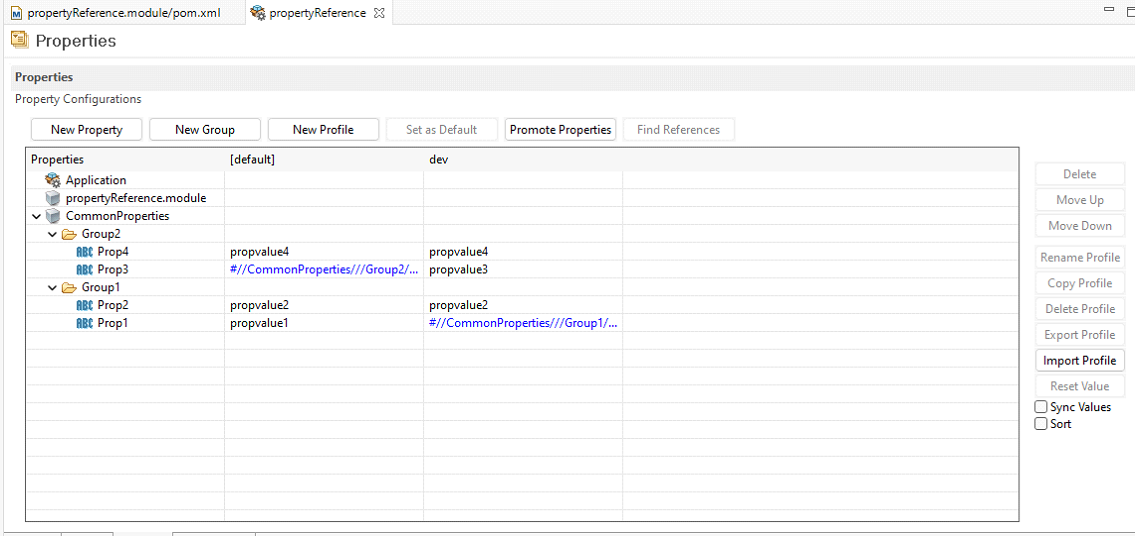
- Upgrade the ESM version in the module pom.
- Double-click the Properties view.
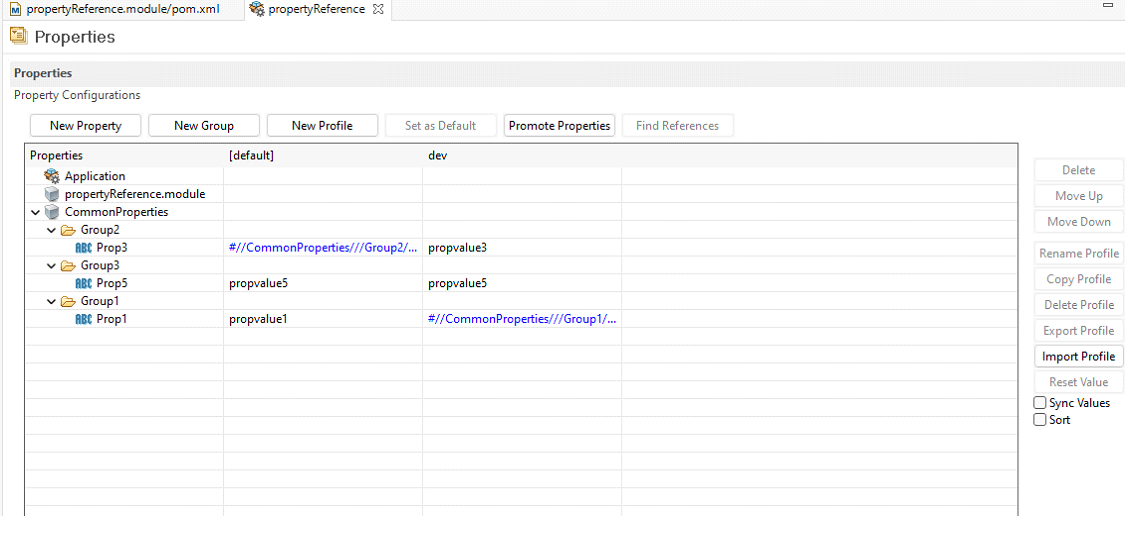
Result: Tokenized values for the properties with the same name have been retained.