Using AWS as a Configuration Management Service from TIBCO Business Studio for BusinessWorks
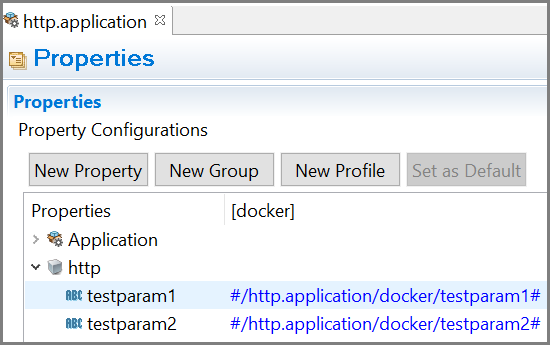
You can use AWS Systems Manager Parameter store for configuration management services in
TIBCO Business Studio for BusinessWorks by defining a token such as
#/<BWCE_APP_NAME>/<PROFILE_NAME>/<property name># in the application properties, where
<property name> is the name of the configuration parameter.
For example,
#/http.application/docker/testparam1#.
Procedure
Follow these steps to use configurations from AWS Systems Manager Parameter store in TIBCO Business Studio for BusinessWorks:
- Set the environment variables
AWS_ACCESS_KEY,AWS_SECRET_KEY,AWS_REGION,AWS_PARAMETER_STORE, andAPP_CONFIG_PROFILE. TheAWS_ACCESS_KEYandAWS_SECRET_KEYenvironment variables are used as credentials for authentication. In order to enable assume role, the following additional environment variables should be passed,AWS_ROLE_ARN,AWS_ROLE_SESSION_NAME,AWS_EXTERNAL_ID(optional), andAWS_EXPIRATION_DURATION(optional). For more information on the environment variables, see Environment Variables for Docker. - Select the desired profile as the default profile inside TIBCO Business Studio for BusinessWorks in order to fetch the values from AWS Server.
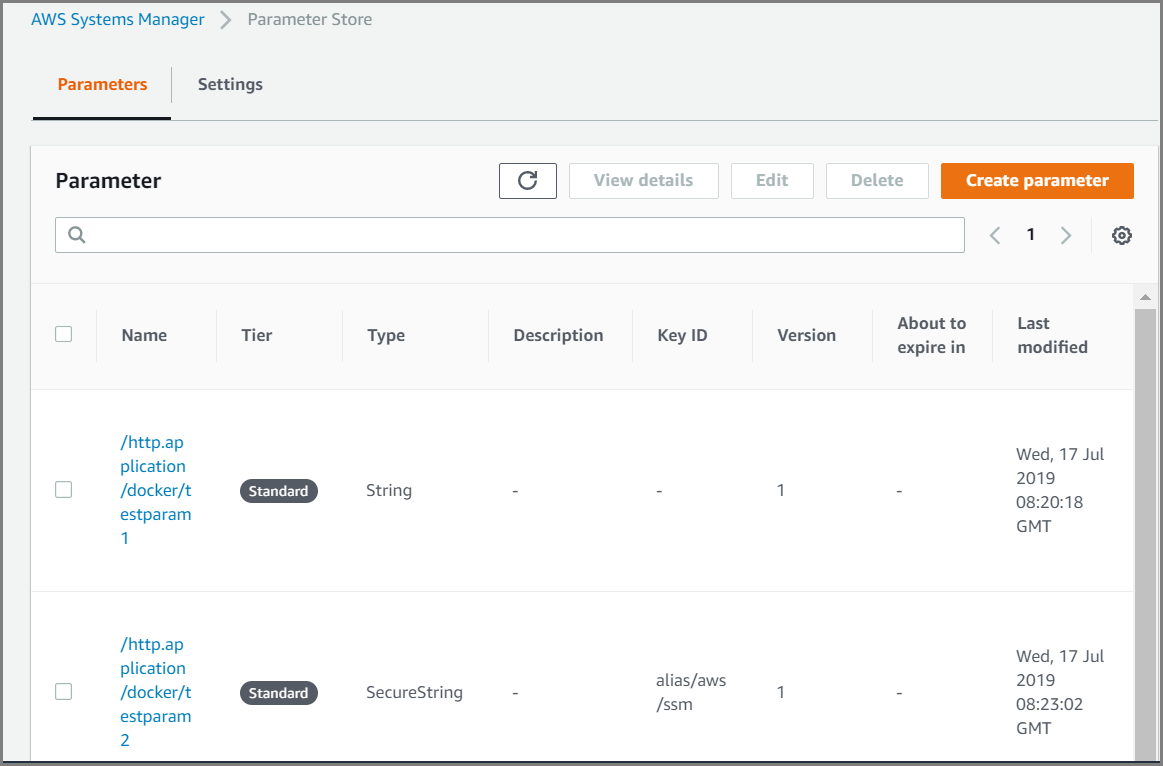
- In your AWS parameter store, define the keys using the format /
<BWCE_APP_NAME>/<PROFILE NAME>/<KEY Name>.For example,
/http.application/docker/testparam1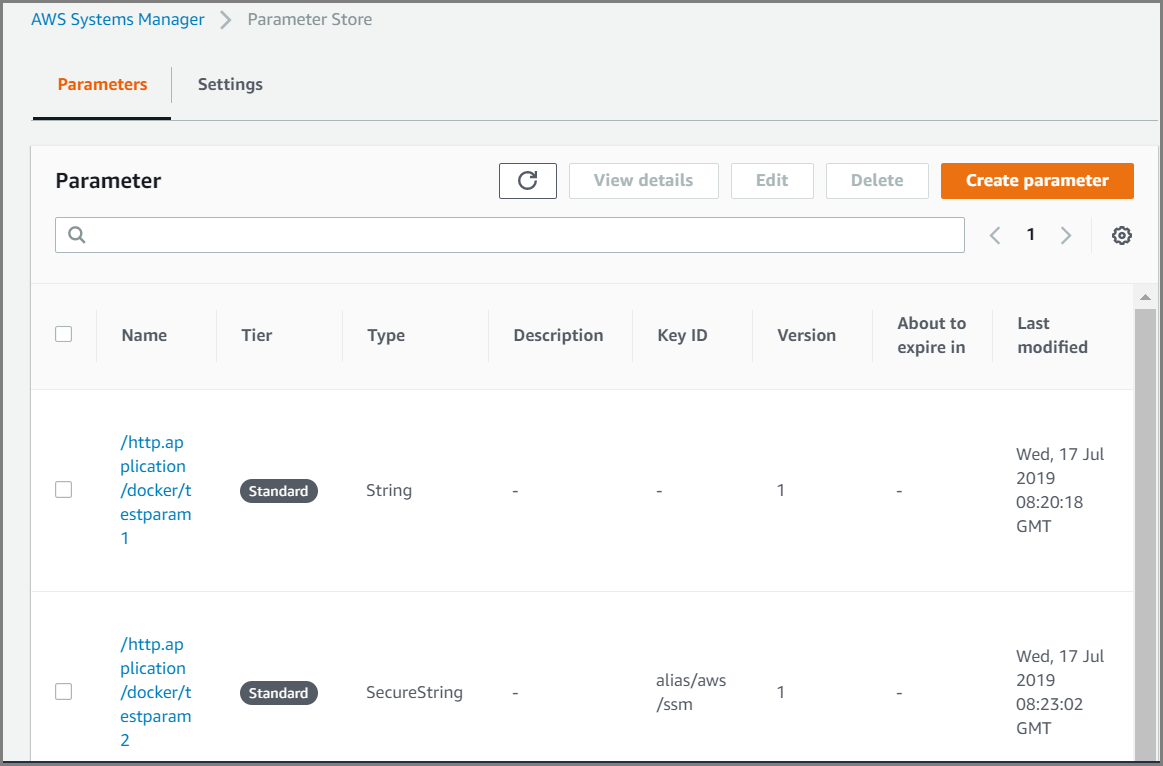
Integrating ECS Services with AWS Parameter Store
Support for credential management service for AWS Parameter Store is provided while deploying application on ECS service.
Set the environment variables
APP_CONFIG_PROFILE and
AWS_PARAMETER_STORE to configure ECS service on AWS secret manager.