Deploying the Service Application
The following steps describe how to deploy the service application to your Cloud Foundry environment using the cf command line interface tool.
- Procedure
- Log into your Cloud Foundry environment using the cf command line interface.
- Copy the manifest file from the samples directory to the location where you placed your EAR file in the previous section.
- Edit the
path variable in the
manifest-service.ymlfile. - Set the path to the location of the EAR file.
- Check the user provided or managed service name, it should match with the service in your Cloud Foundry environment.
As the manifest file contains the name of the Eureka service, the EUREKA-Registry service will automatically bind to this application at deployment.
- Save the file.
- In your Cloud Foundry environment navigate to the directory where you placed your EAR file.
- Execute the following command:
cf push -f manifest-service.yml
To see the log output use the command
cf logs
				  <application name> --recent
. For example,cf logs bwce-helloworld-service --recent
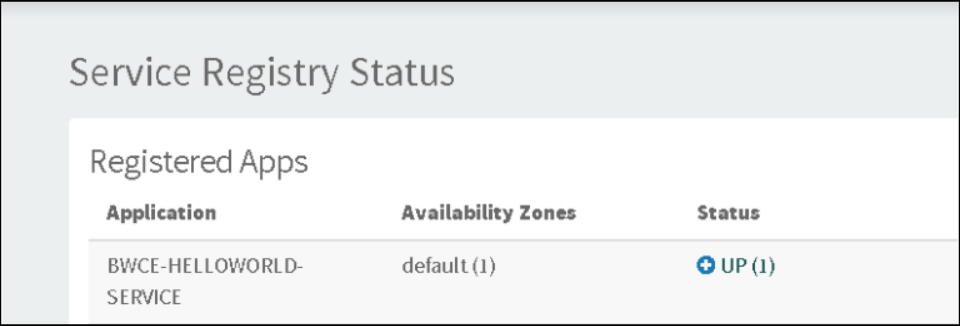
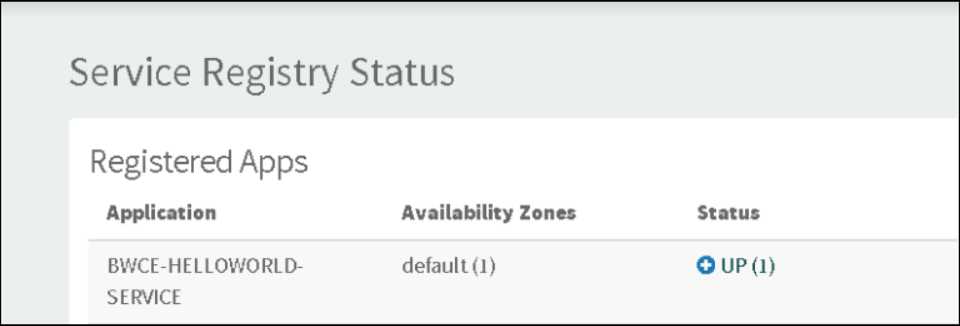
When the application deploys successfully, your service will be registered with the Eureka Server as shown in the following figure: