Adding Mock Support for Activities
This section provides steps for adding mocking support for
TIBCO BusinessWorks Container Edition activities with
TIBCO ActiveMatrix BusinessWorks™ Plug-in for Maven. You can skip execution of an activity (usually activities that are based on external service) whose process is under Unit Testing. Mocking support functionality is required mainly for the
TIBCO BusinessWorks Container Edition activities that are based or dependent on some external Cloud Service or Database systems, which are eventually under Unit Testing. To execute Unit Testing successfully on processes that contain the
TIBCO BusinessWorks Container Edition activities, we need to mock the
TIBCO BusinessWorks Container Edition activities. Now a dummy output can be added to mock activities that can be used in Unit testing for successful execution. The mocking support can be used to mock the activities from processes or sub-processes.
Before you begin
- Apache Maven: https://maven.apache.org/download.cgi
Adding Mock Output to an Activity
To add mock output to an activity in TIBCO BusinessWorks Container Edition, follow these steps:
- Procedure
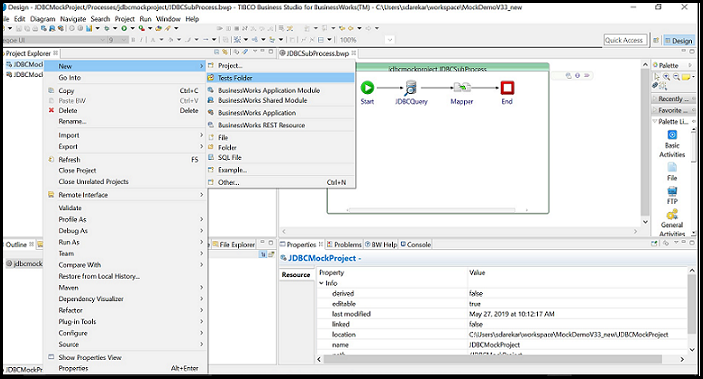
- Right-click on module project and select
.
The Tests folder is added in the module project.
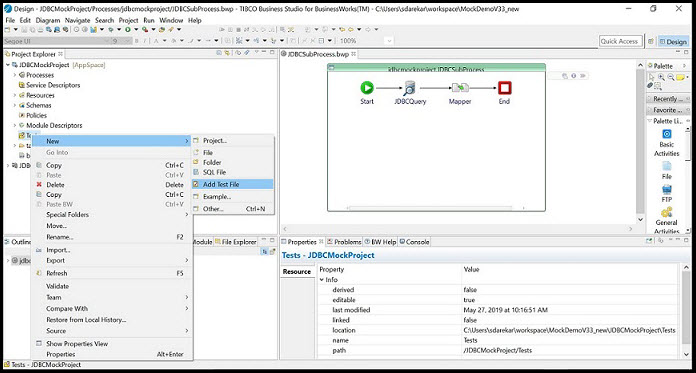
- In Project Explorer, right-click on the
Tests folder and choose
. If needed, change the name of the
Test file. Click
Next.
The New Test File wizard is displayed with a list of processes and subprocesses.
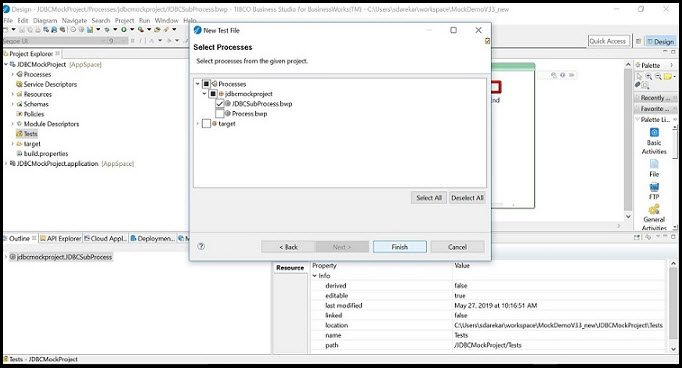
- Select the process or subprocess having the activities to be mocked.
- Right-click on the activity to mock and select the
Add Mock To Activity option.
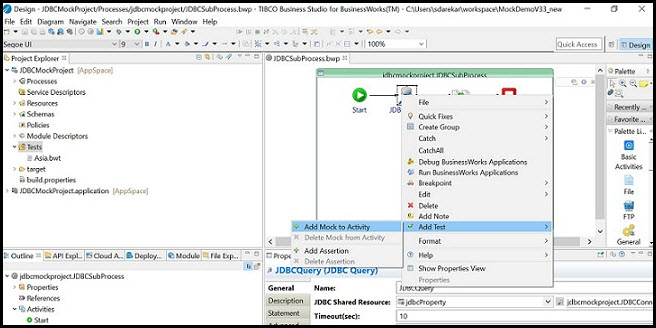
The new Tests tab is added in the property section of the activity.
- The new
Tests tab has file selector to select the output file. Select the output file using File Selector.
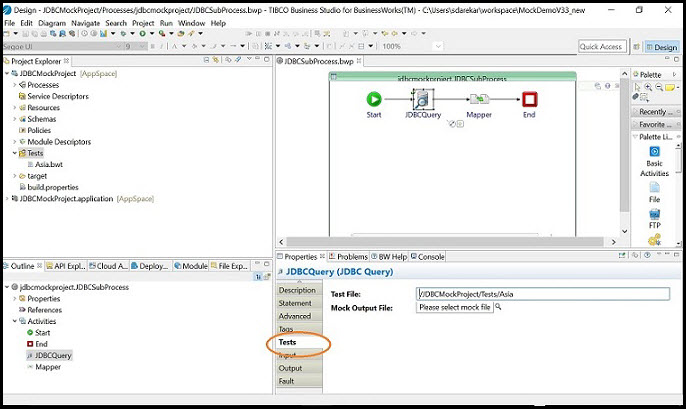
- In the
Mock Output File field, provide the relative mock output file.
The mock output file should be present in the Tests folder of the project. The relative path has the value like "Tests/fileName.xml". It is mandatory to provide the Tests folder name also in relative path.
Subtopics