Generating Mock Input File
To generate the mock input files in
TIBCO Business Studio for BusinessWorks, follow these steps:
- Procedure
- Run the application in debug mode from TIBCO Business Studio for BusinessWorks.
- The Debug perspective is displayed.
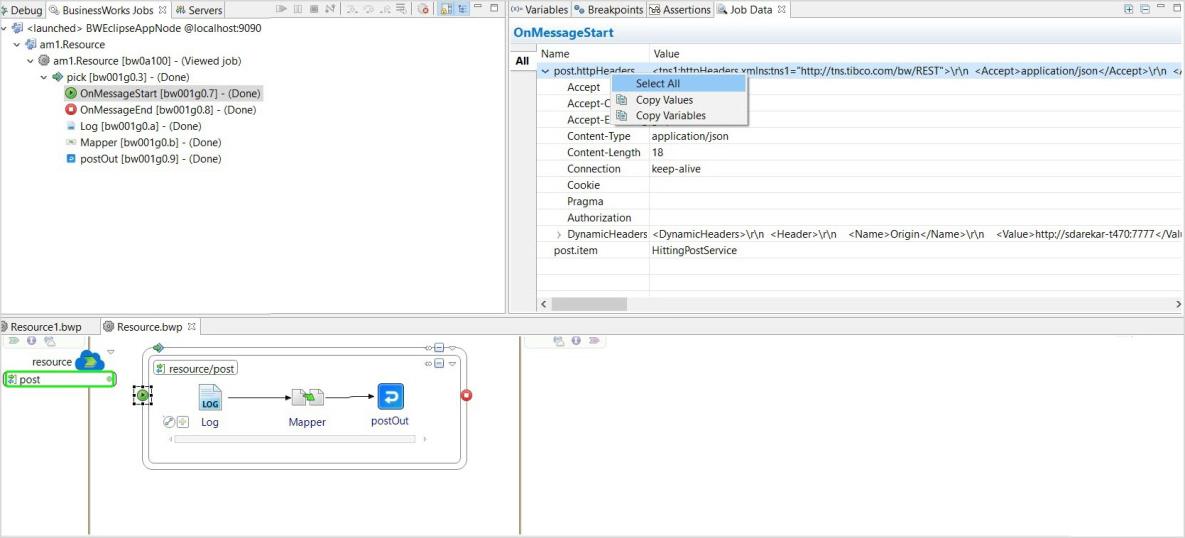
- In the Debug perspective select the All tab in the Job Data view for the operation for which the mock input file is to be generated.
- Right-click on the operation name on the
All tab, click Select All and copy the data by selecting the
Copy Variables option.
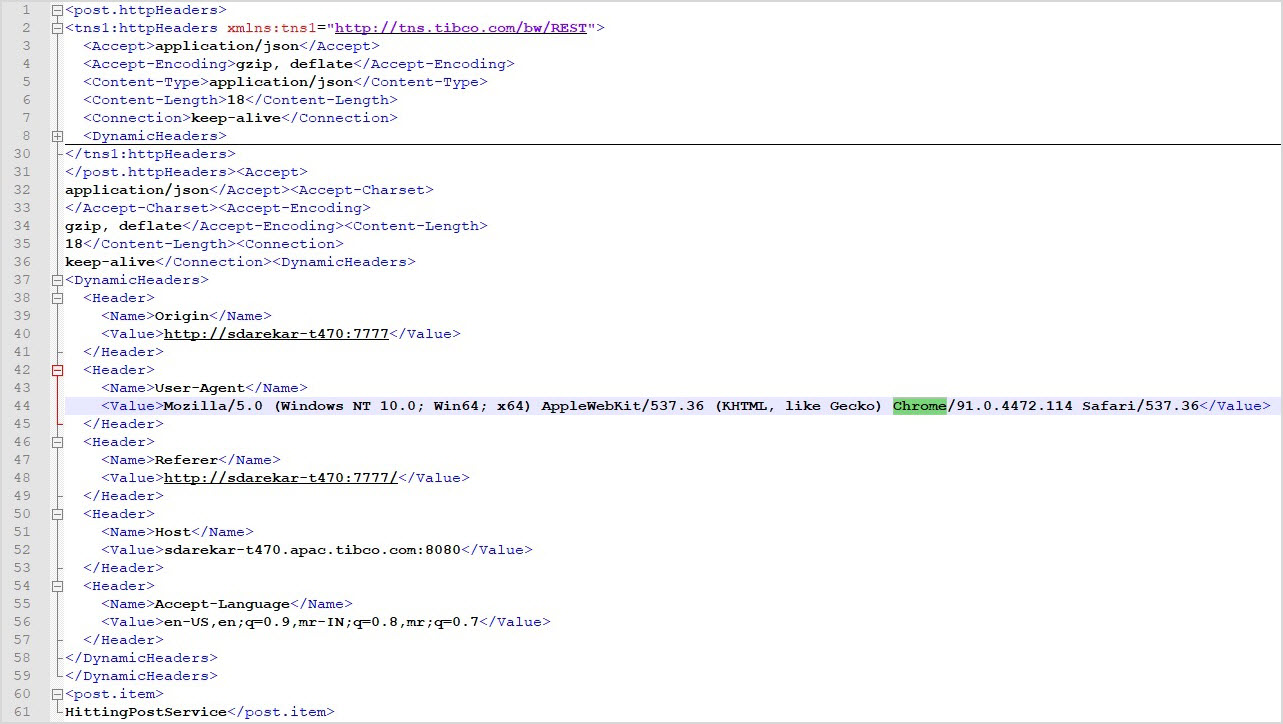
- Copy the data into an XML file.