How to Add Online Help for a Palette
You can enable the online help function for a created palette.
BusinessWorks Plug-in Development Kit generates a documentation template in the doc folder that is located in the palette project folder. You can tailor the user's guide to add information specific to your plug-in. The user's guide later can be made available online for a palette by using one of the BusinessWorks extensions.
See Creating Documentation for more details about how to update the document template.
- Procedure
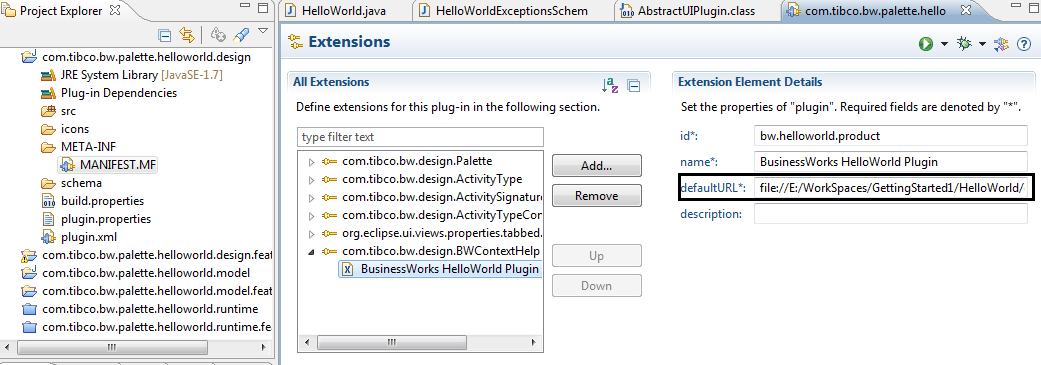
- Open the MANIFEST.MF file in the design-time bundle.
- Click the Extensions tab and click the com.company_name.bw.design.BWContextHelp extension.
- Update the default URL for your plug-in. Ensure that you have placed the document that is used as the online help to an available online site.
Note: Do not change id field.
 Important: Manual changes to MANIFEST.MF will be lost if a plug-in code is re-generated.