Running the JavaToJSON Process
Run the JavaToJSON process to convert Java object to JSON.
Before you begin Ensure that you have imported the process, as described in
Importing the JavaToJSON Process.
- Procedure
- In the Project Explorer view, expand .
- In the process editor, double-click the JavaToJson activity, enter the following parameters:
- Click the
General tab, click
 to create or choose a shared resource.
- Click the
Input tab, enter a value in the required
address field.
You can also enter other optional values in other fields.
- Click the
General tab, click
- On the toolbar, click
 to save your configurations.
- From the menu, click .
- In the "Create, manage, and run configurations" dialog box, click in the left panel, and then select GSON-Sample.application in the Applications tab in the right panel.
- Click Debug to start the test process.


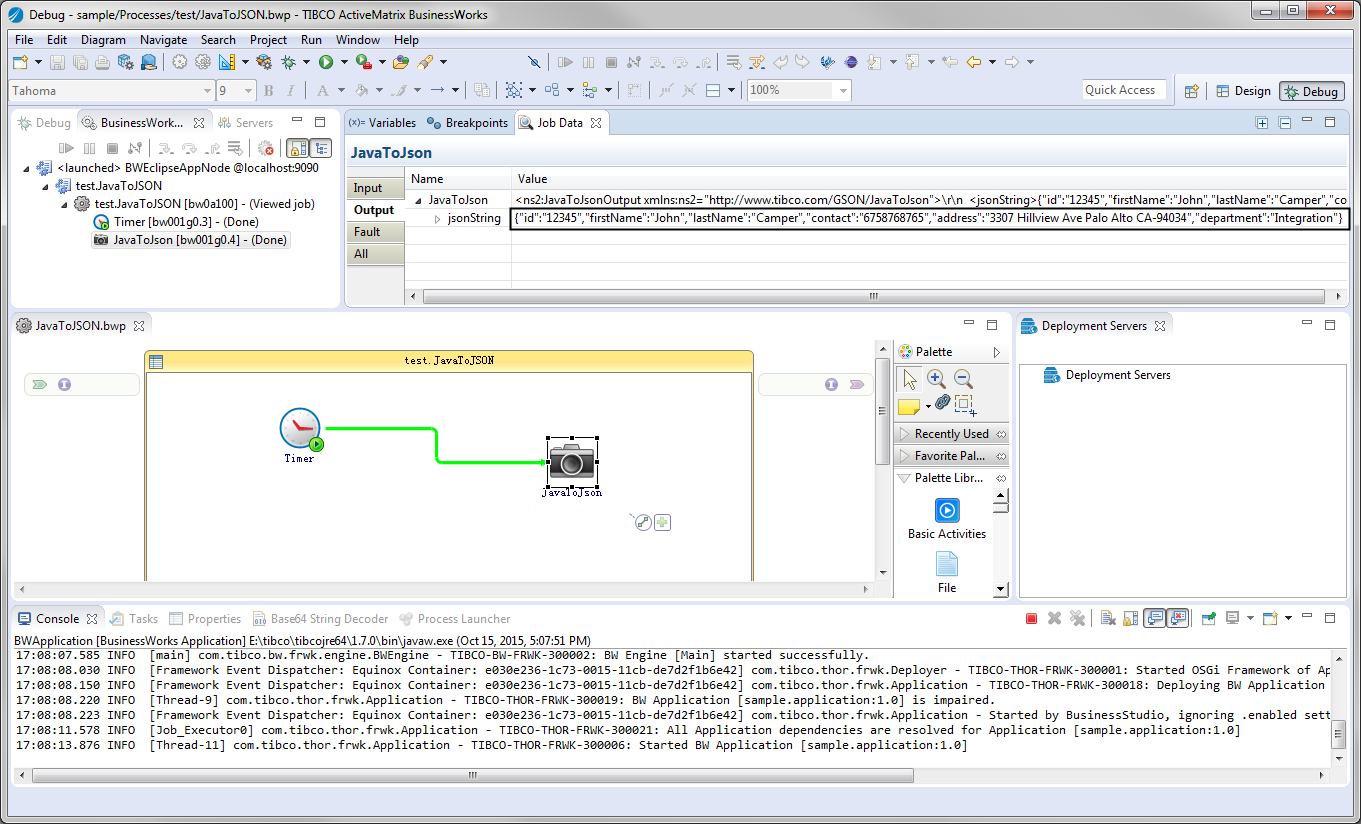
ResultIn the Debug perspective, click the
BusinessWorks Jobs tab, and then click
. Click the
Output tab in the Job Data view. The output is displayed in the
Output tab.