
Creating a Project
In the Getting Started tutorial, the first task you must do using the plug-in is to create a project.
An Eclipse project is an application module configured for ActiveMatrix BusinessWorks™ 6.x. An application module is the smallest unit of resources that is named, versioned, and packaged as part of an application.
Procedure
- Start TIBCO Business Studio using one of the following ways:
- From the menu, click to open the BusinessWorks Resource Wizard.
- In the Select a wizard dialog box, click BusinessWorks Application Module and click Next to open the New BusinessWorks Application Module wizard.
-
In the
Project dialog box, configure the project that you want to create:
Result
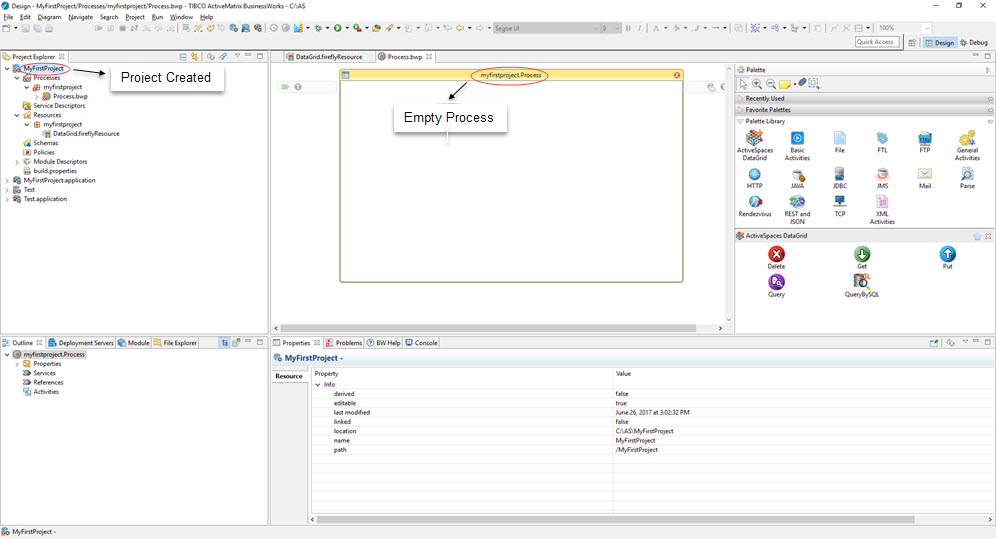
What to do next
After you have created a project, the next task is to create a DataGrid connection. See the Getting Started tutorial.
Copyright © 2021. Cloud Software Group, Inc. All Rights Reserved.