
TIBCO AuditSafe Shared Resource Connection
You can use the TIBCO AuditSafe shared resource connection to specify the configuration details.
General
The General panel contains the following fields:
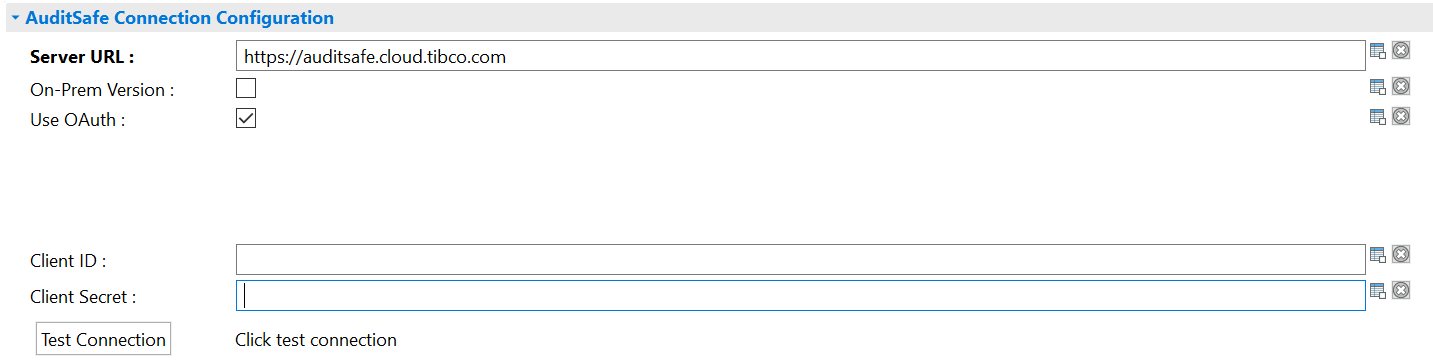
The AuditSafe Connection Configuration panel is used to provide the information of the TIBCO AuditSafe server that the plug-in connects to.
The AuditSafe Connection Configuration panel contains the following fields:
| Field | Module Property? | Description | |
|---|---|---|---|
| Server URL |
Yes |
Server URL of TIBCO AuditSafe dataserver. | |
| On-Prem Version |
Yes |
Select this check box to connect with the TIBCO
AuditSafe On-Prem server.
For a successful connection, you are required to specify the AuditSafe dataserver URL, username, and password applicable for TIBCO
AuditSafe.
You are required to clear this check box when using the plug-in on TIBCO Cloud™ Integration. |
|
| Use OAuth | OAuth Token |
Yes |
Token required for authenticatication when you are accessing TIBCO AuditSafe. You must enter the already generated OAuth token in this field. If you enable the Use OAuth check box and the On-Prem Version check box, the OAuth Token field is displayed. |
| Client ID
Client Secret |
Yes | ||
| Username |
Yes |
User name used to access the TIBCO AuditSafe server. | |
| Password |
Yes |
Password for authenticating the connection with the TIBCO AuditSafe server. | |

Copyright © 2021. Cloud Software Group, Inc. All Rights Reserved.