TIBCO AuditSafe Shared Resource Connection
You can use the TIBCO AuditSafe shared resource connection to specify the configuration details.
General
The General panel contains the following fields:
| Field | Module Property? | Description |
|---|---|---|
| Package |
No |
Name of the package where the new shared resource is added. |
| Name |
No |
Name to be displayed as the label for the TIBCO AuditSafe shared resource in the process. |
| Description |
No |
Short description for this shared resource. |
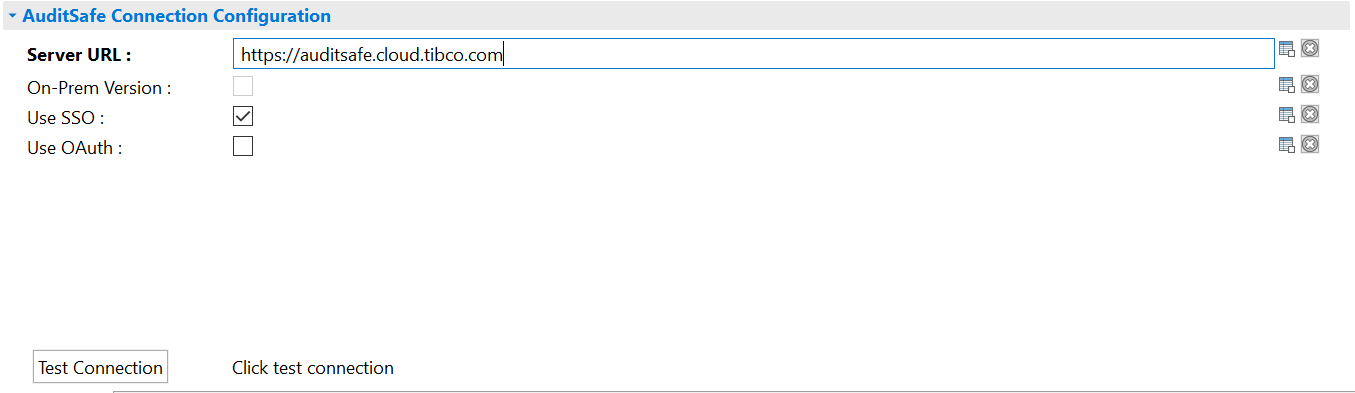
AuditSafe Connection Configuration
The AuditSafe Connection Configuration panel is used to provide the information of the TIBCO AuditSafe server that the plug-in connects to.
The AuditSafe Connection Configuration panel contains the following fields:
| Field | Module Property? | Description | |
|---|---|---|---|
| Server URL |
Yes |
Server URL of TIBCO AuditSafe dataserver. | |
| On-Prem Version
|
Yes |
Select this checkbox to connect with the TIBCO AuditSafe On-Prem server.
For a successful connection, you are required to specify the AuditSafe dataserver URL, username, and password applicable for TIBCO AuditSafe.
You are required to clear this checkbox when using the plug-in on TIBCO Cloud™ Integration. |
|
| Use SSO |
Select this checkbox to use the SSO (Single Sign-on) login method.
Note: Before testing the connection, make sure that you have configured SSO in the API Explorer tab of TIBCO Business Studio.
For more information, see TIBCO BusinessWorks™ Container Edition Application Development. |
||
| Use OAuth | OAuth Token |
Yes |
Token required for authentication when you are accessing TIBCO AuditSafe. You must enter the already generated OAuth token in this field. If you enable the Use OAuth checkbox and the On-Prem Version checkbox, the OAuth Token field is displayed. 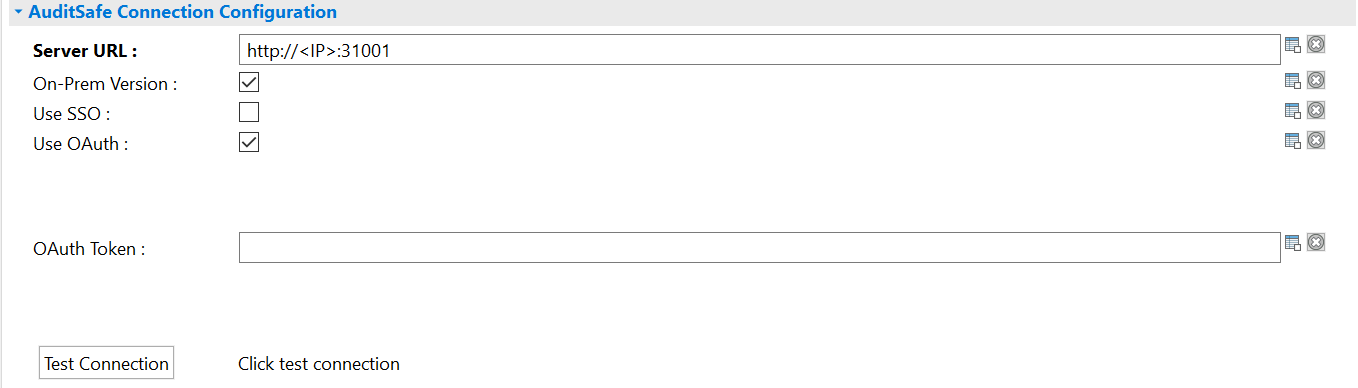
Note: For more information about OAuth token generation, see
Generating OAuth Token.
|
| Client ID
Client Secret |
Yes |
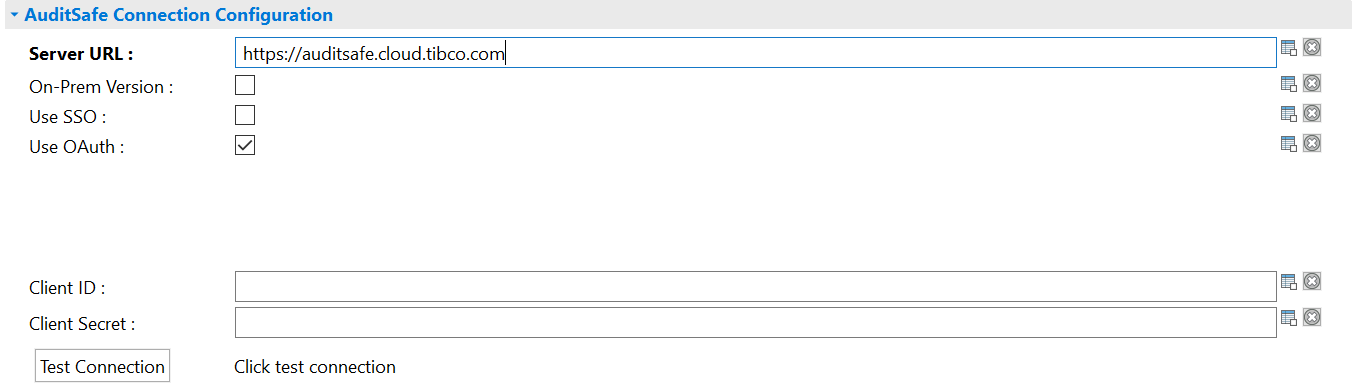
The following fields are displayed when you enable the Use OAuth checkbox and clear the On-Prem Version checkbox:
Note: You need a service account to obtain the client ID and secret if you enable the
Use OAuth checkbox for Cloud AuditSafe
Note: For more information about client ID and client secret generation, see Generating Client ID and Secret.
|
|
| Username |
Yes |
username used to access the TIBCO AuditSafe server. | |
| Password |
Yes |
Password for authenticating the connection with the TIBCO AuditSafe server. | |