Uninstalling Plug-ins by using BusinessWorks Plug-ins Manager
To uninstall the TIBCO ActiveMatrix BusinessWorks™ Plug-in for Amazon SQS and SNS:
Prerequisites
Start TIBCO Business Studio for BusinessWorks.
| Platform
|
Step
|
| Microsoft Windows
|
Click
|
| Linux or macOS
|
Run the
TIBCO Business Studio executable file located at
TIBCO_HOME/studio/<version>/eclipse directory.
|
Procedure
-
On the menu bar, click
.
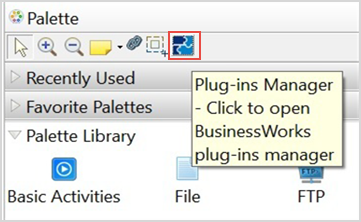
Optionally, click the
Plug-ins Manager

button in the Palette section.
The
TIBCO BusinessWorks Plug-ins Manager dialog box opens, listing all the plug-ins available on the public update site.
-
On the
Options tab, select the
Show only installed plug-ins check box and select the plug-ins to uninstall.
-
Click
Uninstall.
The
Uninstall Details dialog box is displayed.
-
In the
Uninstall Details dialog box, review the components to uninstall.
-
To start the plug-ins uninstallation, click
Finish.
Copyright © 2021. Cloud Software Group, Inc. All Rights Reserved.