Creating and Configuring a BigQuery Connection Resource
Create a BigQuery Connection shared resource to establish the connection with the BigQuery instance.
- Procedure
- In the Project Explorer view, right-click
Resources folder and select
.
Hint: The project must be expanded to display all the folders.
- In the BigQuery Connection Resource dialog box, fill the
Resource Name field and click
Finish. Resource Name is displayed as
BigQueryConnectionResource as default. To create the shared resource in a resources folder of a different project or in a different package, select
Resource Folder or
Package accordingly.
The BigQuery Connection shared resource is created. The shared resource consists of two tabs: Configuration and Schema.
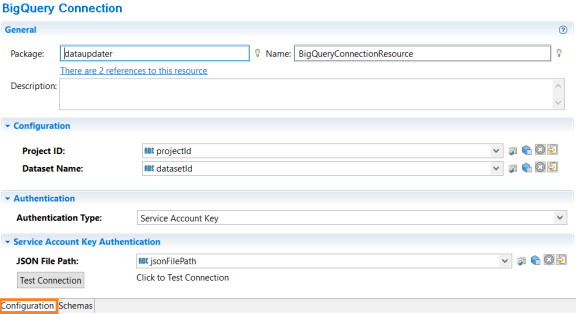
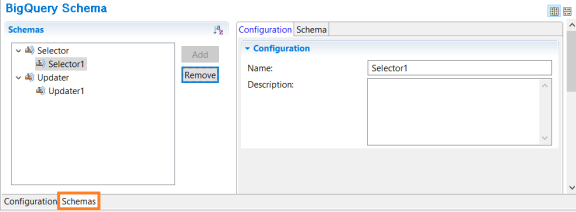
Once you create a schema in the Schemas tab the Configuration and Schema tabs appear where you can add an entity.
- Configure the BigQuery Connection resource in the displayed editor.